
Fly together: group activities and pilots nearby
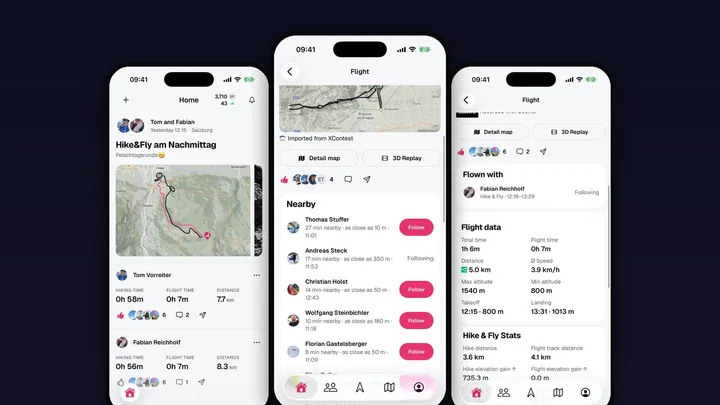
Most good flying days aren’t solo days. You hike up with a friend, share a thermal with half the launch and land in the same field. With Wingmates you can already see who’s going flying. But afterwards, Sidekik showed the day as separate flights in the feed, one after another. With Sidekik 5.2 that changes: group activities and Nearby.
Flown together, shown together
When you and your friends fly or hike together, Sidekik now shows it in the feed as a group activity. Nobody has to tag anyone. Sidekik recognises it from the tracks: if you were close to each other for most of the activity, you’re a group.
The post shows everyone you follow who was there and the photos of all pilots. Every pilot gets their own row with their own stats, Flykes and comments. Tap a row to open that pilot’s flight.
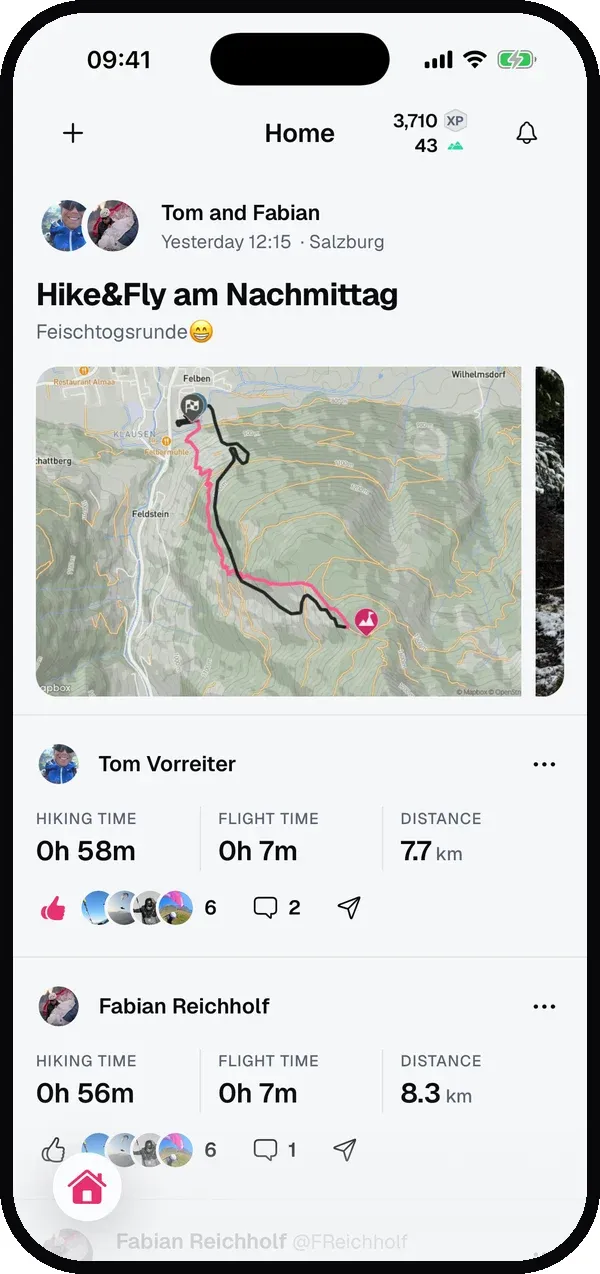
It works for flights, XC, Hike & Fly and hikes, also mixed: if you hike up together and then fly different lines, you can still be a group.
In the air, gaggles spread out on every glide, so pilots count as together across a wider distance than hikers on the same path. And somebody who did a quick top-to-bottom next to you at launch doesn’t end up on your six-hour XC.
Flown with
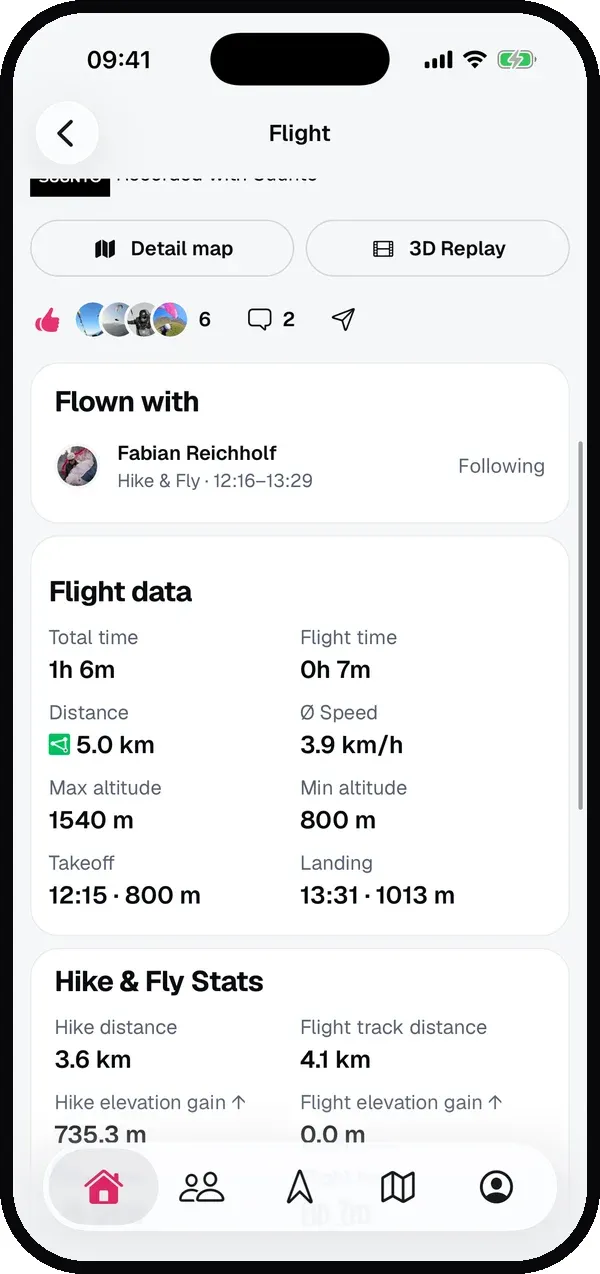
On the flight page, the new Flown with section lists everyone who was in the group. If you don’t follow someone yet, there’s a Follow button right there. After all, right after a flight together is the best moment to connect.
Sidekik got it wrong and you weren’t really out together? Tap Leave group on your own flight. It then won’t be grouped again.
Nearby: who you met along the way
Not everyone you meet in the air is someone you went flying with. Maybe you shared a thermal for ten minutes, or someone passed right by you on a glide. That’s what Nearby is for.
Below Flown with, the flight page lists the pilots who crossed paths with you: how many minutes you were nearby, how close you got and when. The pilots you spent the most time with are at the top.
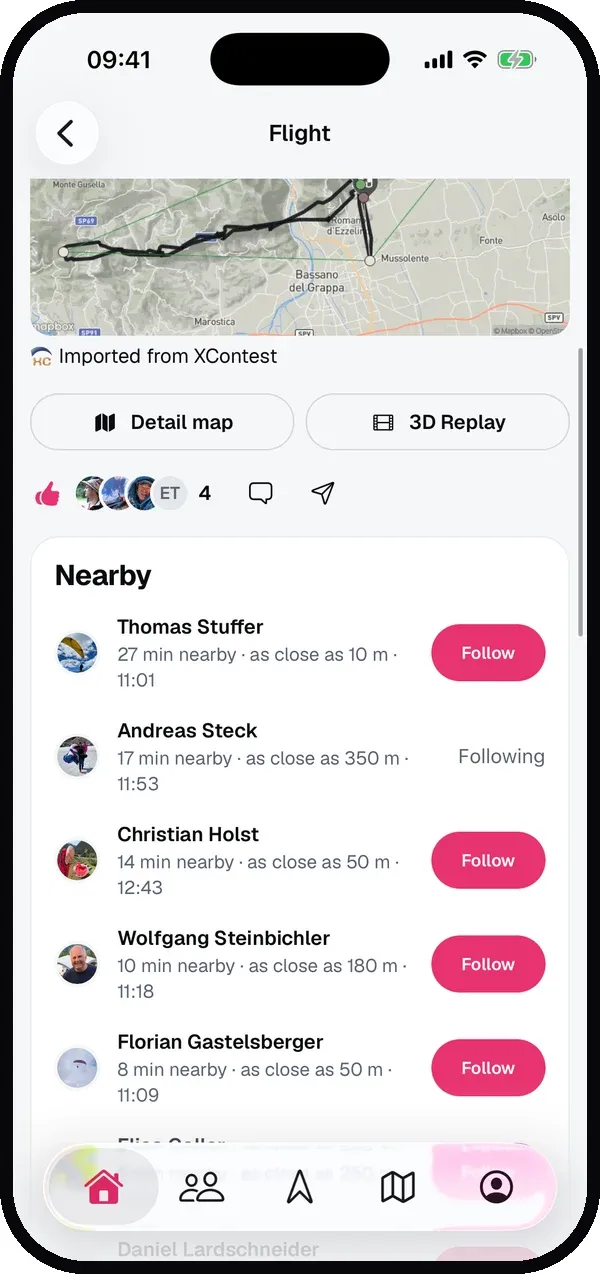
Nearby only ever appears on the flight page, never in the feed. On a busy day at Bassano the list fills up quickly, and suddenly you know who that blue wing next to you in the thermal was.
You decide who sees you
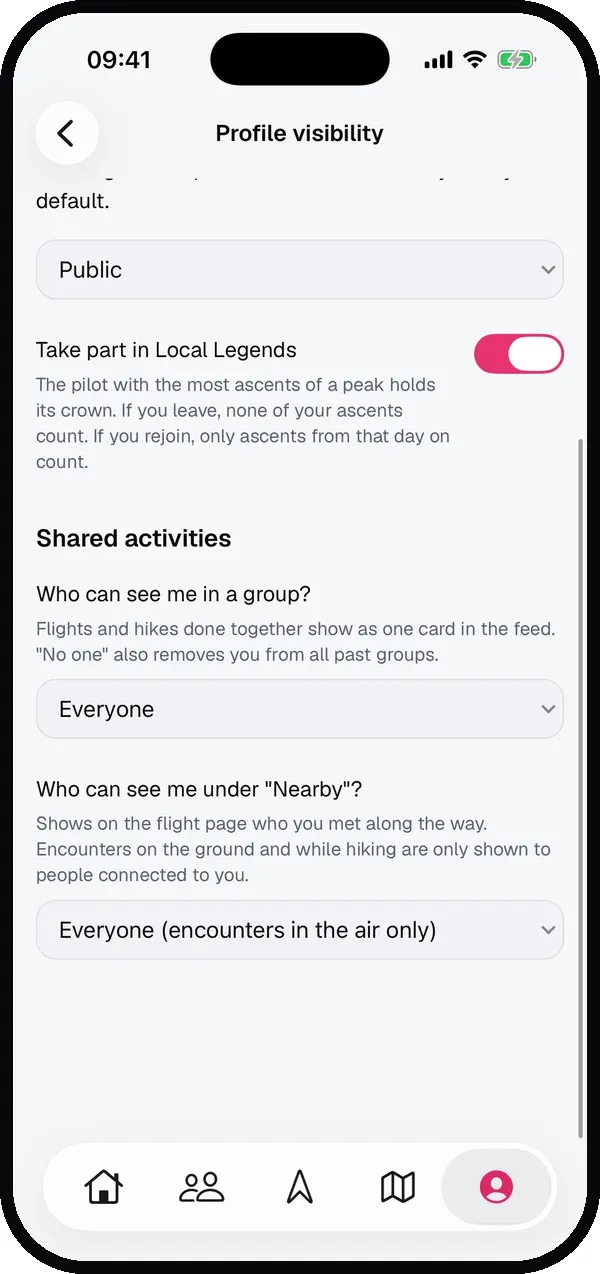
Group activities and Nearby each have their own setting in Settings → Profile visibility:
- Who can see me in a group? Everyone, only followers and people you follow, or no one. With No one you’re never grouped and you’re also removed from all past groups.
- Who can see me under “Nearby”? Everyone (encounters in the air only), only followers and people you follow, or no one.
Encounters on the ground and while hiking are only ever shown to people you’re connected to. A stranger only sees you as nearby when you were both in the air. And if your profile is private, that still applies: people who don’t follow you won’t see you in a group or under Nearby.
Good to know
Sidekik works out groups and Nearby when a flight is uploaded. Of the flights from before the update, only the last few days are covered, so most of your older flights won’t show any groups.
Everything about how groups are formed, what a group activity shows and how the settings work is in the guide Group activities and Nearby.
Update to Sidekik 5.2, go flying with your friends and look at your feed afterwards.