
Peak Hunts and missions
A Peak Hunt is a challenge with a list of peaks and waypoints. Fly or hike through the circle around a peak and it counts for you. Missions are simpler: reach a goal, such as a number of flights or a distance, within a set time.
You’ll find both in the Community tab. This guide shows how to join, how peaks get tagged and where to follow your progress.
1. Find a Peak Hunt
- Open the Community tab and stay on Challenges.
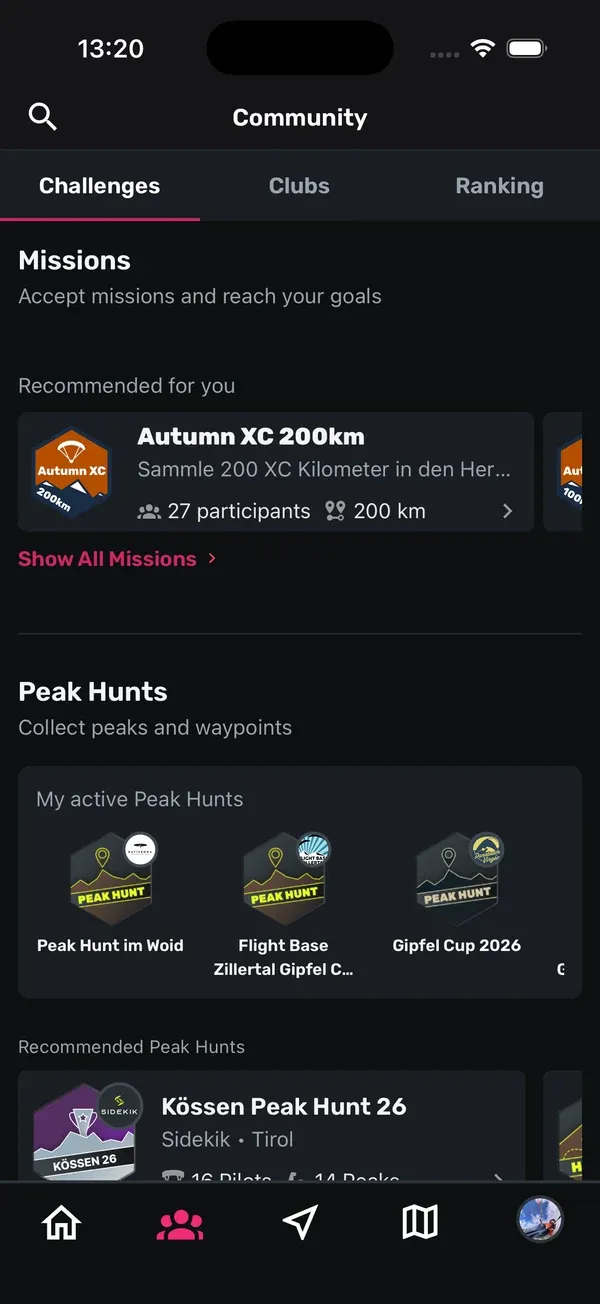
- Scroll down to Peak Hunts. Under My active Peak Hunts you’ll see the ones you’ve already joined.
- Recommended Peak Hunts shows a selection for you. Swipe through the cards.
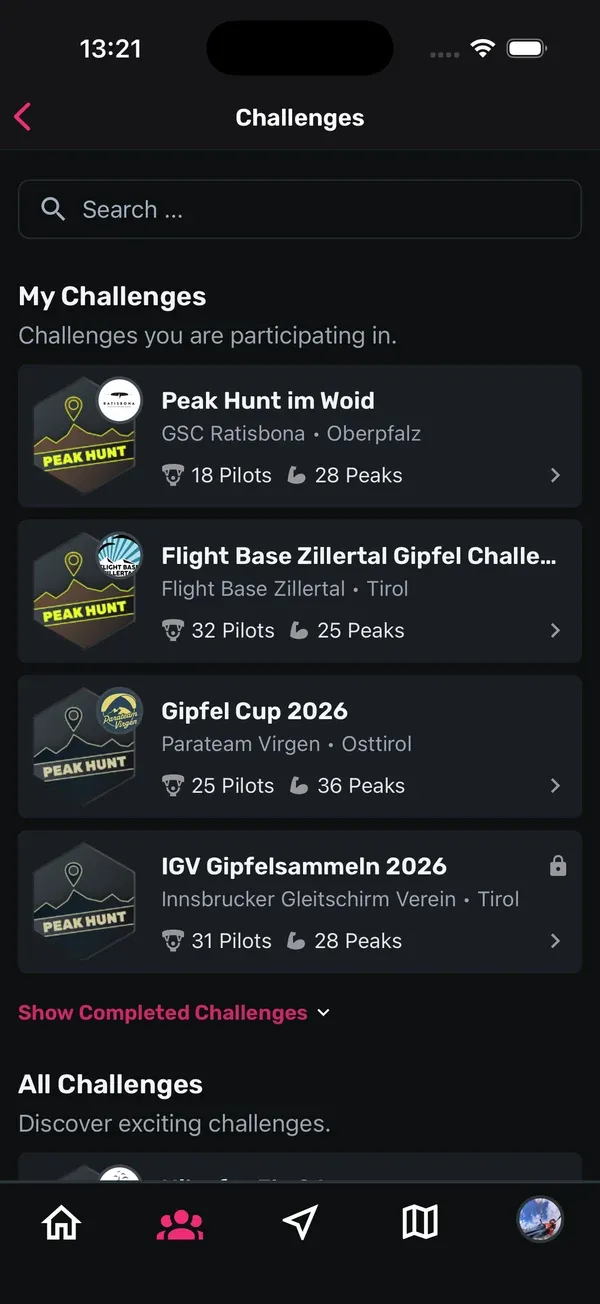
- Tap More Peak Hunt Challenges to see the full list. Use the search field or switch between My Challenges and All Challenges. Show Completed Challenges brings back past Peak Hunts.
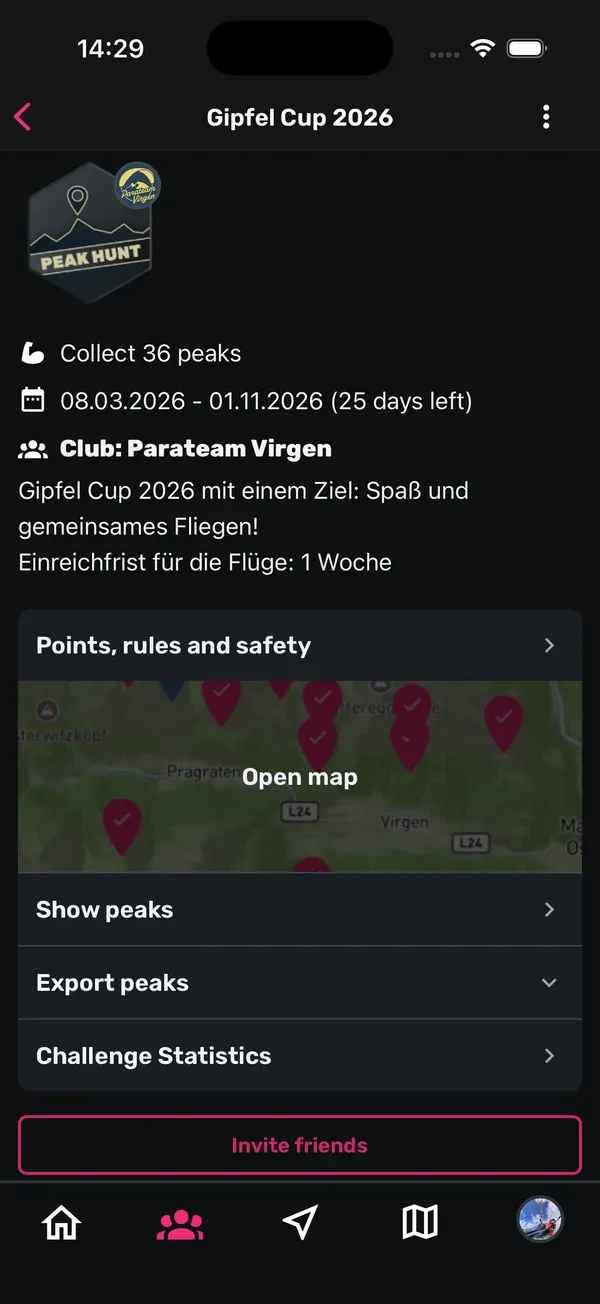
Tap a Peak Hunt to open it. At the top you’ll see how many peaks there are to collect and how many days are left.
2. Join a Peak Hunt
- Open the Peak Hunt and read Points, rules and safety first.
- Tap Join challenge.
- Read the Confirm participation text and tap Confirm.
You can join at any time before or during the Peak Hunt. If you want to leave again, use the menu (three dots) at the top right and choose Leave challenge.
Some Peak Hunts are private: “This is a private challenge. Only club members can join.” Only members of that club can take part.
3. How a peak gets tagged
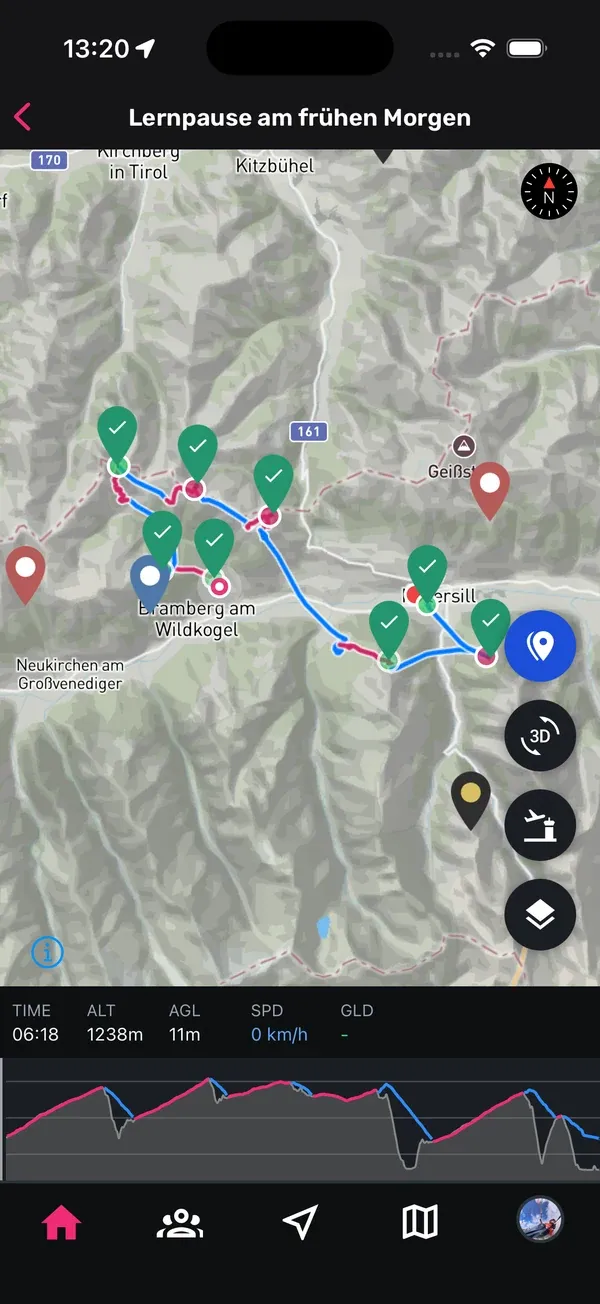
Every peak has a circle with a set radius. Your track has to pass through that circle. That’s all it takes. Sidekik checks this automatically when your flight is uploaded.
- Points: each peak is worth points depending on its difficulty (Easy, Medium, Hard, Very hard).
- Flight day bonus: you get a bonus point per flight day, at most one per calendar day.
- Peak series: from the second peak in the same flight or day, each additional peak earns a bonus.
- Proximity bonus: the closer you get to the centre of the circle, the more points.
- Time window: only flights from within the Peak Hunt period count. Upload them by 23:59 on the last day.
- Files: flights tracked in Sidekik count, and so do IGC files from varios or other apps and GPX files from sports watches.
Walking counts too, on some peaks. Tap Show peaks and then a peak to see its details. Next to the name it says whether it counts for hiking only (Hike only), flying only (Fly only) or both (H&F). The rules also list whether a hike gives the maximum proximity bonus.
The peak details also show the elevation, a description, the Local Legend (who tagged the peak most often), the Proximity Champ (who got closest) and who tagged it recently.
Good to know: You don’t have to get close to the terrain. Keep a safe distance. If it doesn’t work out today, try another day; you’ll still get the full points.
4. Leaderboard and statistics
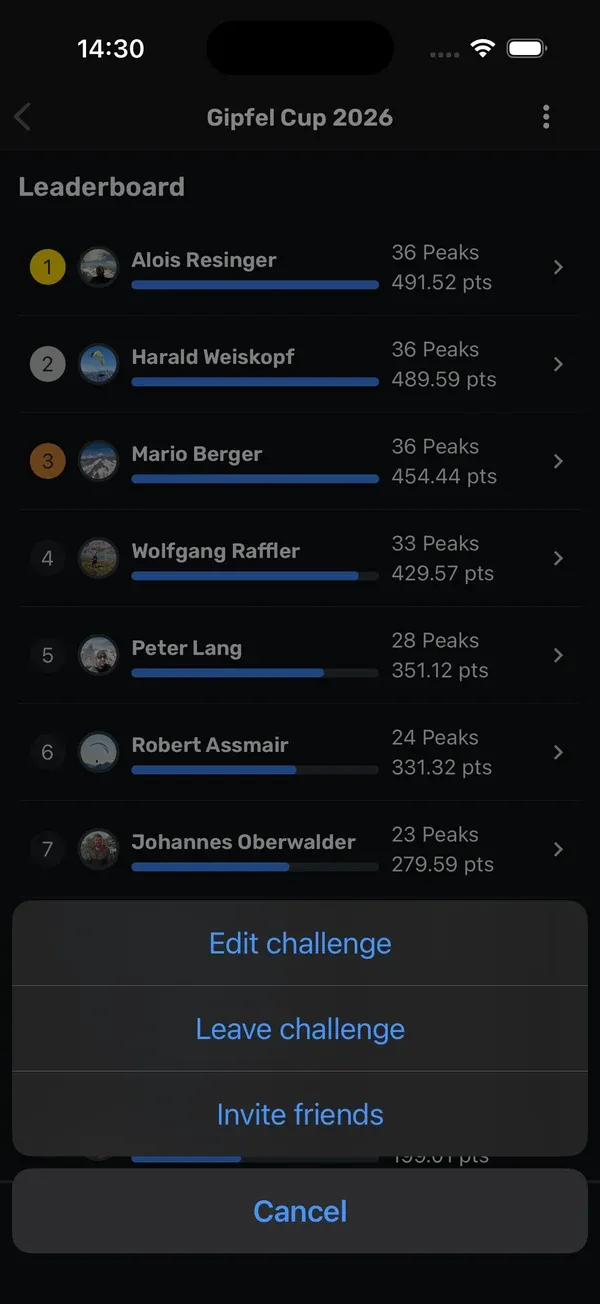
The Leaderboard is at the bottom of the Peak Hunt. Each row shows a pilot’s rank, a bar with their collected peaks and their points.
Tap a pilot to see the details:
- Rank and Submitted flights
- Points for flights and Points for peaks
- Bonus for peak proximity and Bonus for peak series
- Total points
- a list of every peak with date, points and the flight
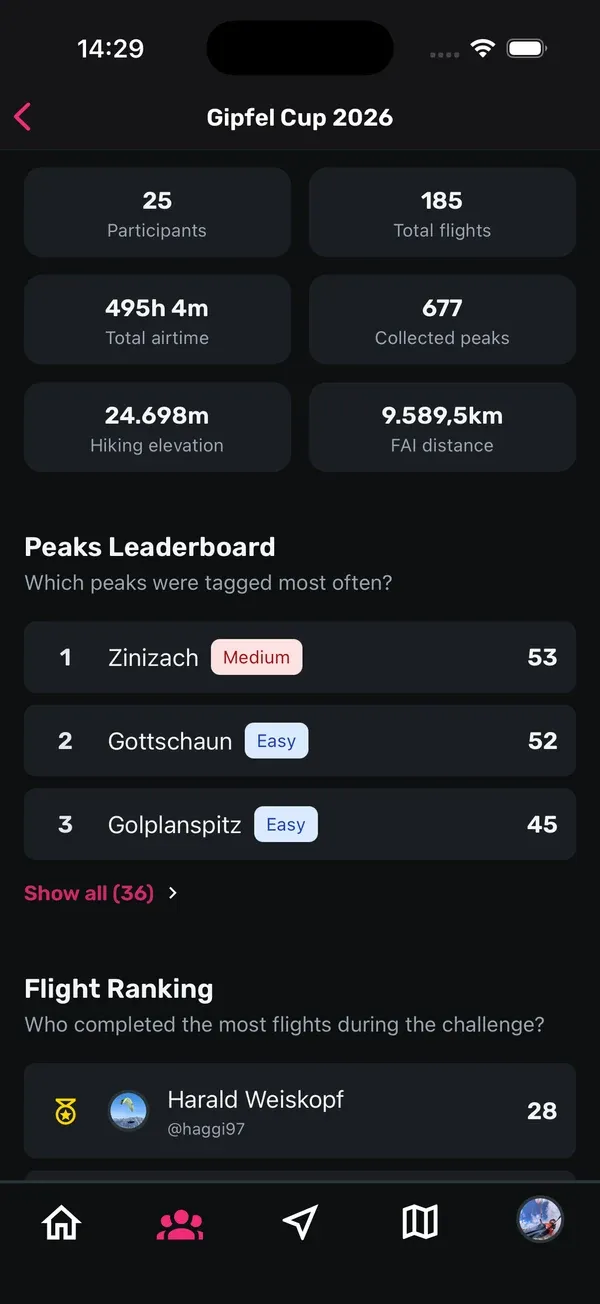
Challenge Statistics shows three more rankings: the Peaks Leaderboard (which peaks get tagged most), the Flight Ranking and the Elevation Ranking. Tap Show all for the full list.

5. Invite friends and export peaks
- Invite friends: tap Invite friends below the join button, or use the menu at the top right. Sidekik creates a link you can send. Friends who open it go straight to the Peak Hunt and can join.
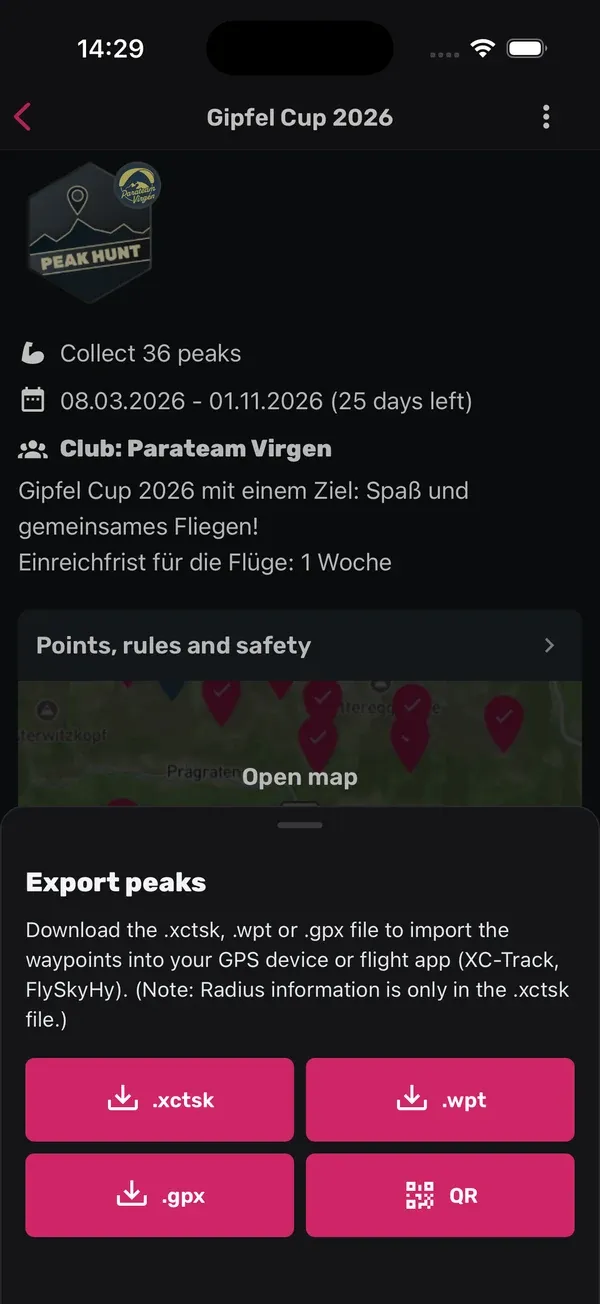
- Export peaks: tap Export peaks to load the peaks into your vario or flight app (for example XC-Track or FlySkyHy). Depending on the Peak Hunt you’ll get an .xctsk, .wpt or .gpx file or a QR code. Only the .xctsk file contains the radius of each peak.
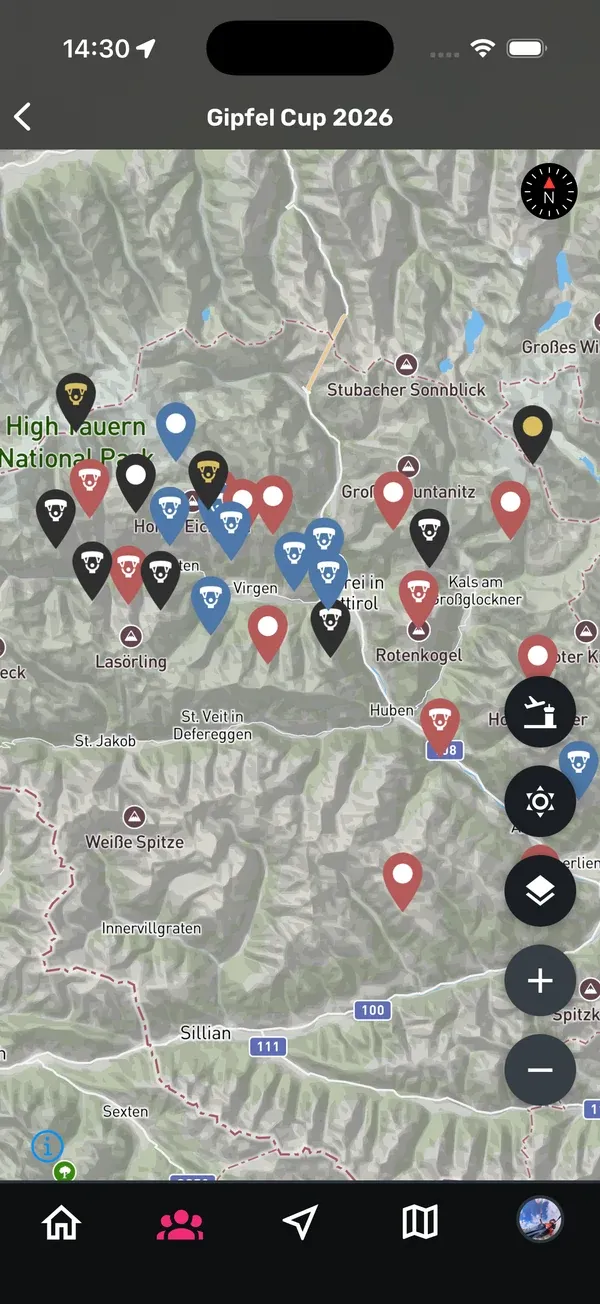
- Open map: shows all peaks of the Peak Hunt on the map.
6. Navigate to peaks while tracking
You can load a Peak Hunt’s peaks directly into Sidekik’s tracking:
- Open the Record tab.
- Next to Load Challenge WPs, tap Select.
- Tap Select challenge and choose one of your Peak Hunts. With Add challenge you can load more than one.
During the flight, Sidekik shows you the peaks and marks them when you’re inside the radius. The official points are calculated after the upload.
This needs Sidekik Plus.
Learn more about recording in Track your flight.
7. Missions
Missions give you a goal for a set period, such as a number of flights, XC distance, airtime, elevation gain or hike & fly activities.
- In the Community tab, look at Missions at the top. My active missions shows the ones you’re already part of. Recommended for you shows new ones.
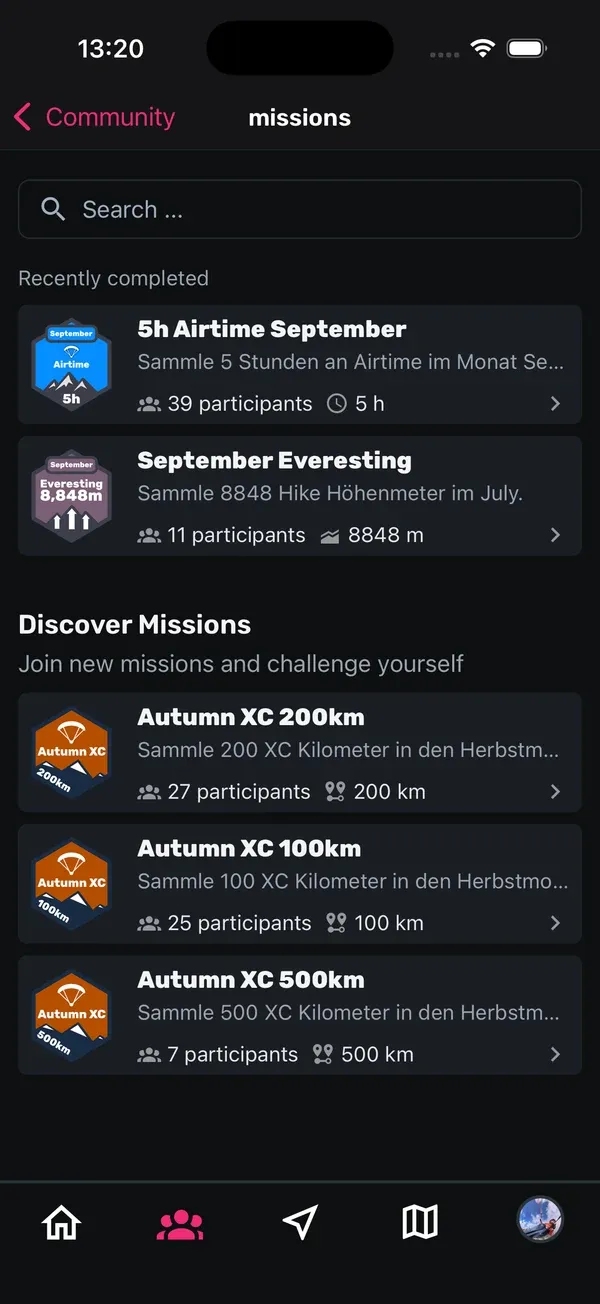
- Tap Show All Missions to see My Missions, Recently completed and Discover Missions.
- Open a mission. You’ll see the goal, the dates, the days remaining and, if there is one, the prize.
- Tap Accept Mission. That’s it, no extra confirmation.
Your activities now count towards the goal automatically. Your Progress shows how far you’ve got, and the Leaderboard shows how the others are doing. Once you reach the goal, the button changes to Mission completed. You can leave or invite friends via the menu at the top right.
8. Trophies
Trophies from missions and Peak Hunts land in your profile under Your trophies. Tap View All to open the Trophy Case, sorted into Mission Trophies and Peak Hunt Trophies. A podium finish is marked 1st, 2nd or 3rd.
9. Daily Ranking and season Ranking
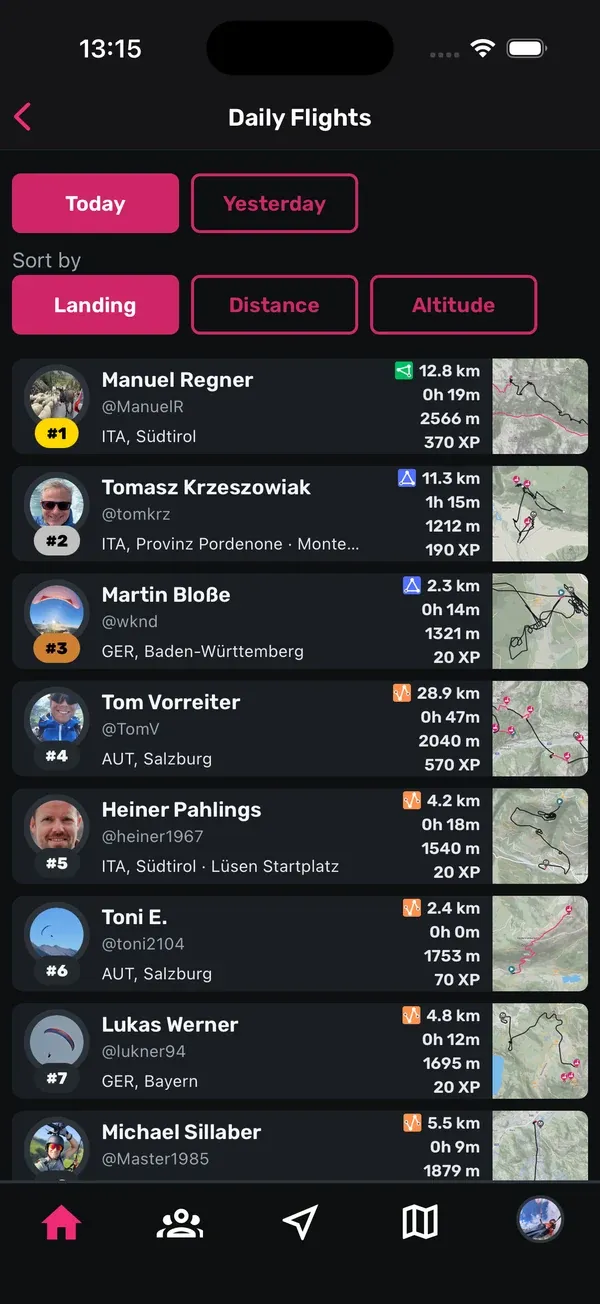
- Daily Ranking: at the top of the Home tab you’ll find a card with all adventures from yesterday and today. Switch between Today and Yesterday and sort by landing, distance or altitude.
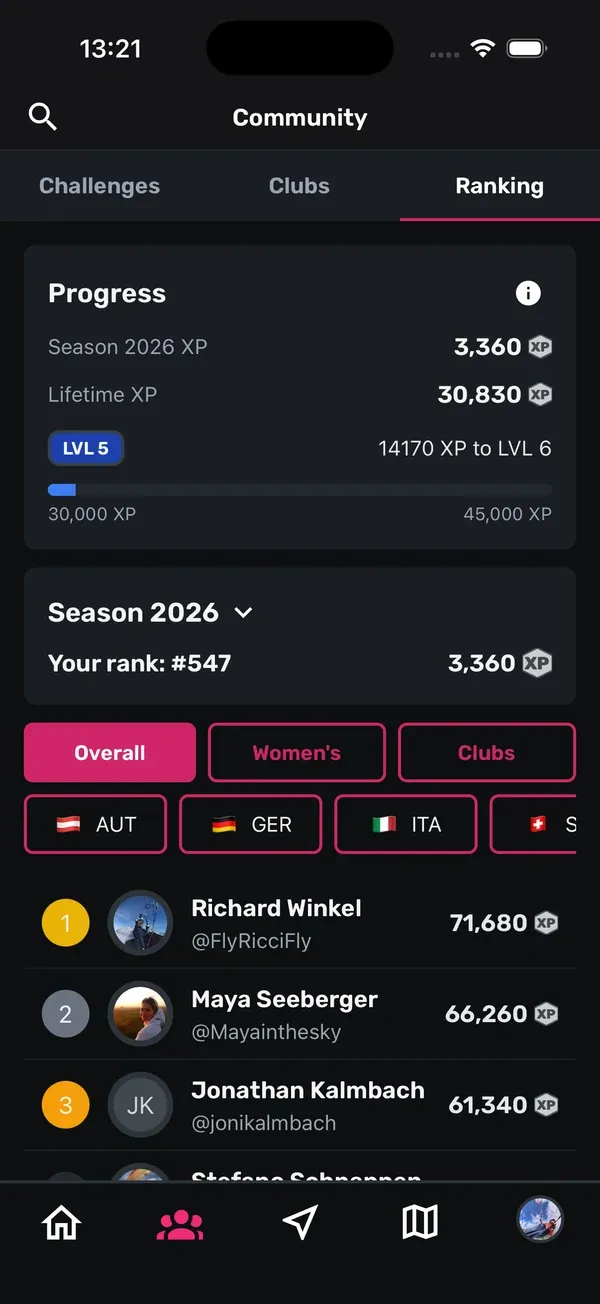
- Season Ranking: in the Community tab, open Ranking. Pilots are ranked by the XP they collected this season. You’ll see your own rank at the top. Filter by Overall, Women’s or Clubs, or by country. Tap the season to look at past years.
How XP works is explained in XP and levels.
10. Club Peak Hunts
Clubs can run their own Peak Hunts, for example with local peaks for their members. Club admins create them in the app or in the browser. Once they’re live, you’ll find them in the app like any other Peak Hunt. More in Club challenges.
Tips
- Read Points, rules and safety before you join. The points and radius can be different for each Peak Hunt.
- Check Show peaks for Hike only peaks. They’re a good plan for days when it’s not flyable.
- Export the peaks to your vario before the flight so you can find the circles in the air.
- A peak series pays off: several peaks in one flight or one day bring bonus points.
- Upload your flights before 23:59 on the last day, or they won’t count.
Related guides
Still have questions? Write to us at [email protected].