
Messages: talk to your fellow pilots in Sidekik
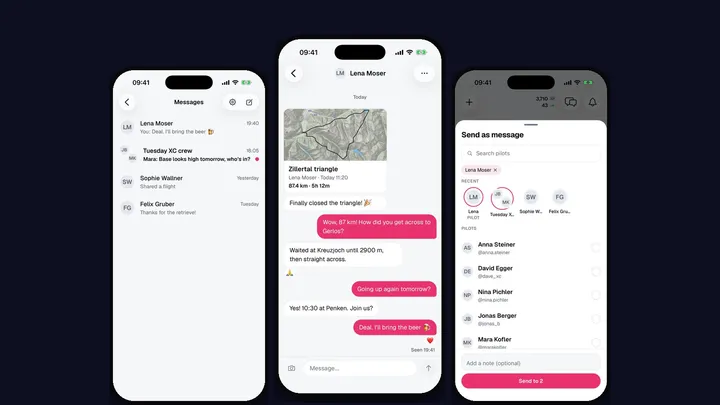
“How did you get across the valley?” “Are you going up tomorrow?” “Nice line!” Until now those conversations happened somewhere else, and the flight they were about stayed in Sidekik. With Sidekik 5.3 you can talk to other pilots right in the app: Messages.
Start a conversation
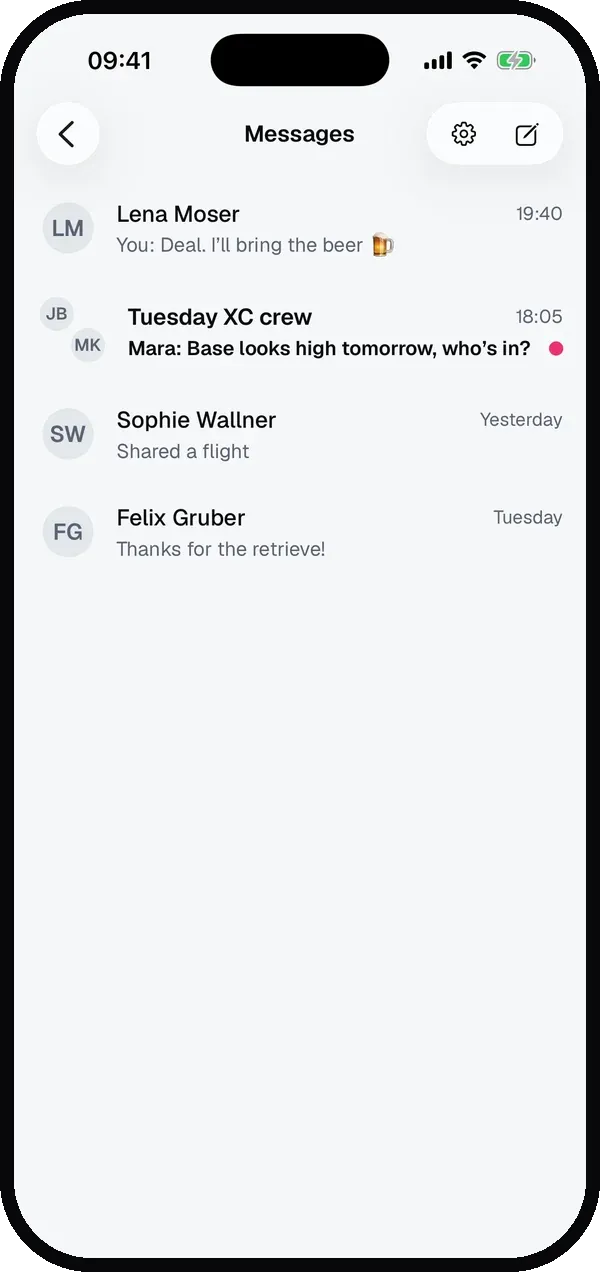
The new messages icon sits next to the bell at the top of Home. It opens your inbox. Tap the pencil to write to a pilot or start a group.
You can also start right from a pilot’s profile: tap Message next to Follow.
Chat like you’re used to
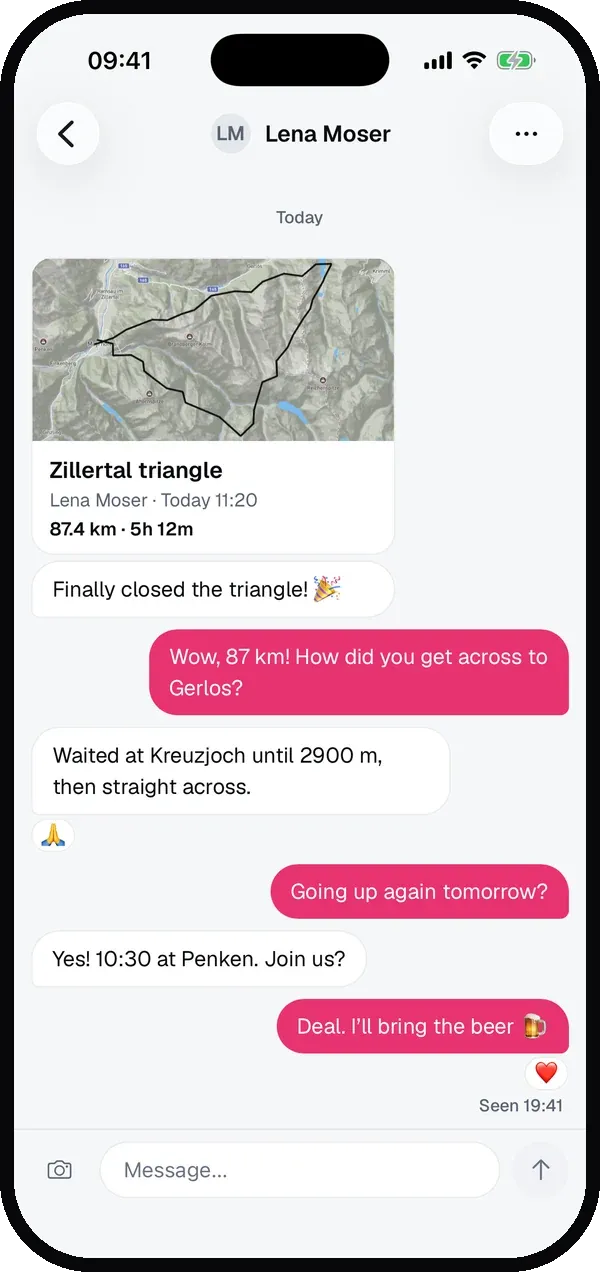
Write 1:1 or in a group for your next XC day. Give the group a name and a photo and add more pilots later. In every chat you can:
- send photos, several at once,
- react to a message with an emoji,
- see when someone is typing and when your message was read,
- get a push notification when a new message comes in.
Send a flight as a message
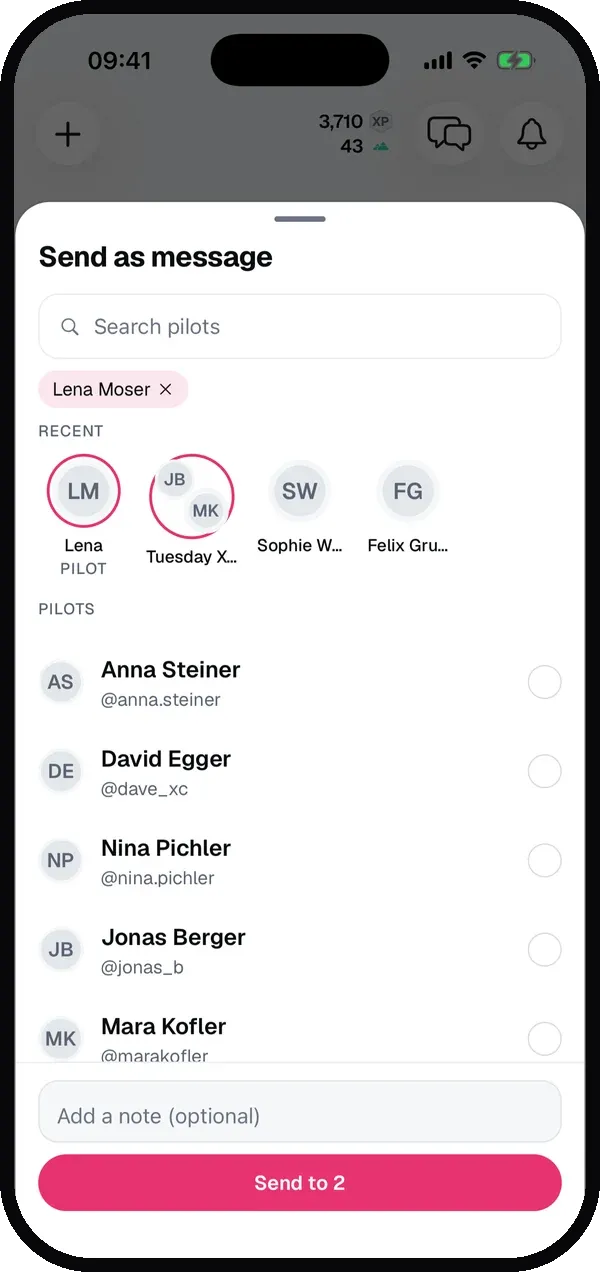
The paper plane on a flight now sends it as a message. The flight’s pilot comes first, marked as Pilot, so you can reply to them about that flight right away. Pick one or more pilots or chats, add a note if you like, and tap Send. In the chat the flight shows as a card with the map, and a tap opens it.
Want to share a picture or a link outside Sidekik like before? That’s now the separate share button on the right.
Pilots you flew with
On the flight page, the pilots under Flown with and Nearby now have a message button next to Follow, if you were part of it. And if you flew in a group, Message group opens one chat with everyone who was there. The group activities themselves are explained in Fly together.
You decide who can message you
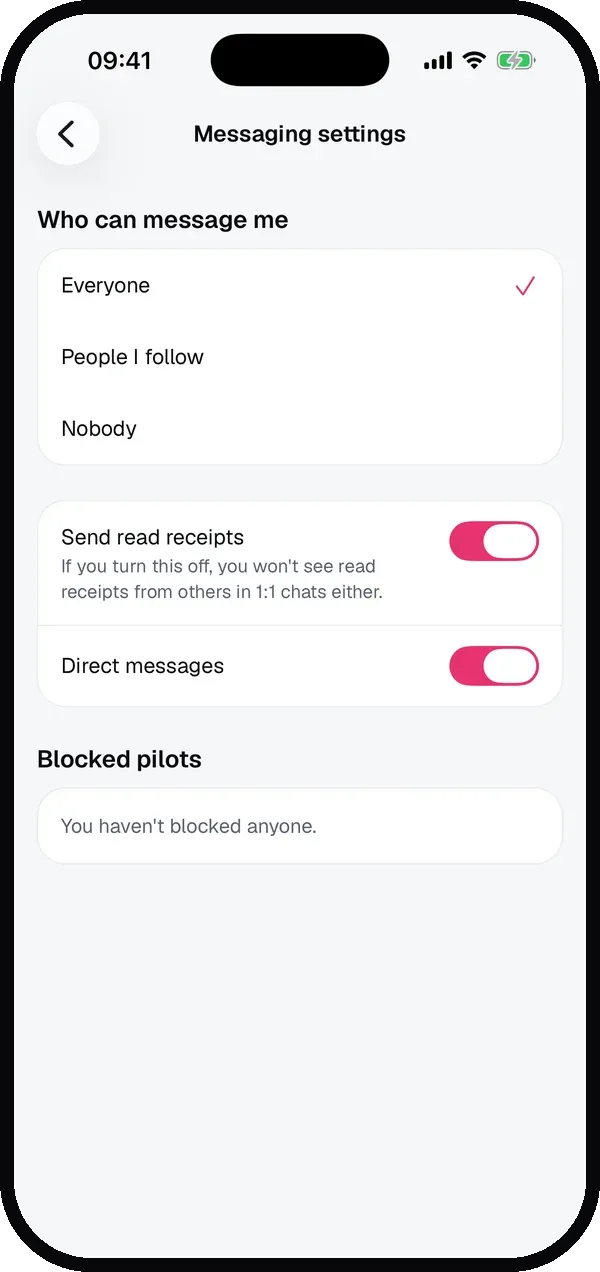
In the inbox, tap the gear for your messaging settings:
- Who can message me: Everyone, People I follow, or Nobody.
- Send read receipts: turn it off if you’d rather not show when you’ve read something. You then won’t see read receipts from others in 1:1 chats either.
- Push notifications for direct messages, on or off.
When someone you don’t follow writes to you, it arrives as a message request. You see the message, but they won’t know whether you’ve read it until you accept. In any chat you can mute it, block or report a pilot, or delete the conversation from your inbox. Your own messages you can delete for everyone.
Update to Sidekik 5.3 and send your flying friends the next good flight.