
New statistics for pilots, clubs and challenges in Sidekik
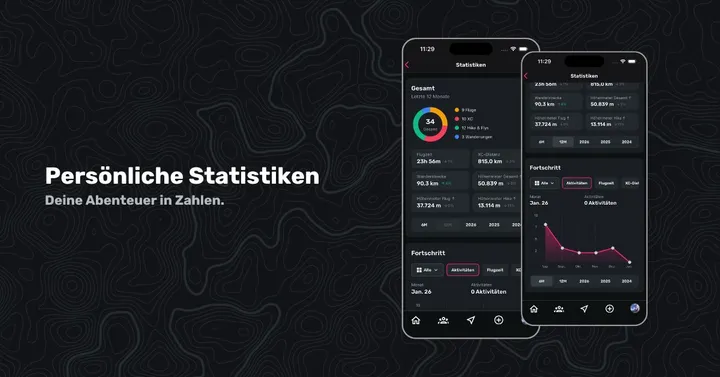
If you fly, you collect data. If you want to get better, you look closer.
That is why the last weeks were spent on one topic: statistics.
The result: a clearer overview, more ways to compare and more depth — for you, your club and your challenges.
Personal statistics: rebuilt
Personal stats were redesigned from scratch. Instead of scattered numbers you get a clearer structure and more useful charts.
- A better overview of your flights and activities
- A clearer split by flight type (Hike & Fly, XC and so on)
- Your progress in one chart, with many filters
In short: less searching, more understanding.
You will find the new statistics in your personal profile (bottom right, tap the profile picture) under “Statistics” → “Show all statistics”.
Club leaderboards: more filters, more comparison
Club statistics changed a lot too.
You can now see what is happening in the club with more precision:
- extra filters by period, flight type and more
- better comparison between members
- more transparency about how active the club really is
Ideal if you like looking at numbers together — or a little in-club comparison.
You will find club leaderboards on the club profile → “Top 3” section → “Show all rankings”.
Challenge statistics: extra stats and leaderboards
The biggest change is challenge statistics.
There is now a dedicated, rebuilt stats page with:
- extra rankings
- a clearer view of the results
- a better overview of performance across the whole challenge
Whether you are at the front or just tracking your own progress — the new challenge stats show more than places.
You will find them on the challenge screen, below the map: “Show challenge statistics >”.
Why we built this
Sidekik should not only collect flights. It should motivate. Good statistics make goals tangible and progress visible.
Have fun clicking through, comparing and discovering 🚀
See the guide: Statistics and goals explains it step by step.