
Statistics and goals
How many flights did you do this season? Did you fly more than last year? And is that 50 km flight still your best? Sidekik keeps track of all of it, from every flight you track, upload or import.
The You tab is where you find your numbers, your records and your goals. This guide walks you through all three and explains how Sidekik counts your progress.
1. Your progress at a glance
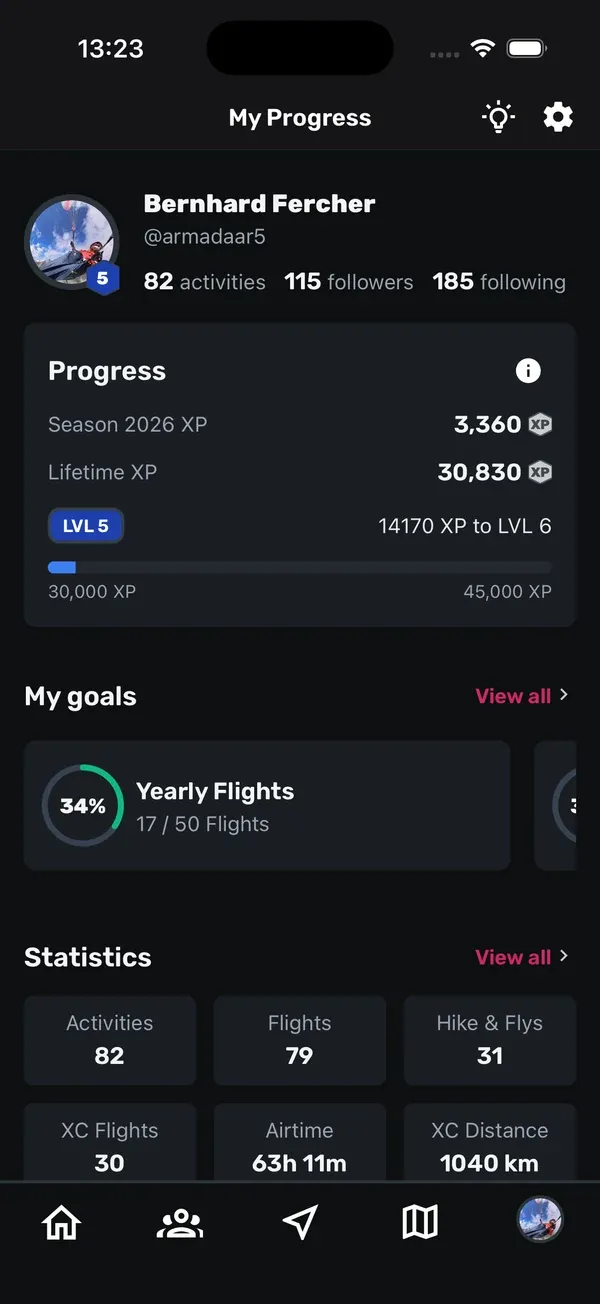
Open the You tab. At the top you’ll find My Progress with your level and XP (more about that in XP and levels). Below it:
- My goals: your goals as cards you can swipe through. Tap View all to open them all.
- Statistics: six boxes with your totals for Activities, Flights, Hike & Flys, XC Flights, Airtime and XC Distance.
- Your Records: your personal bests.
2. Dig into your statistics
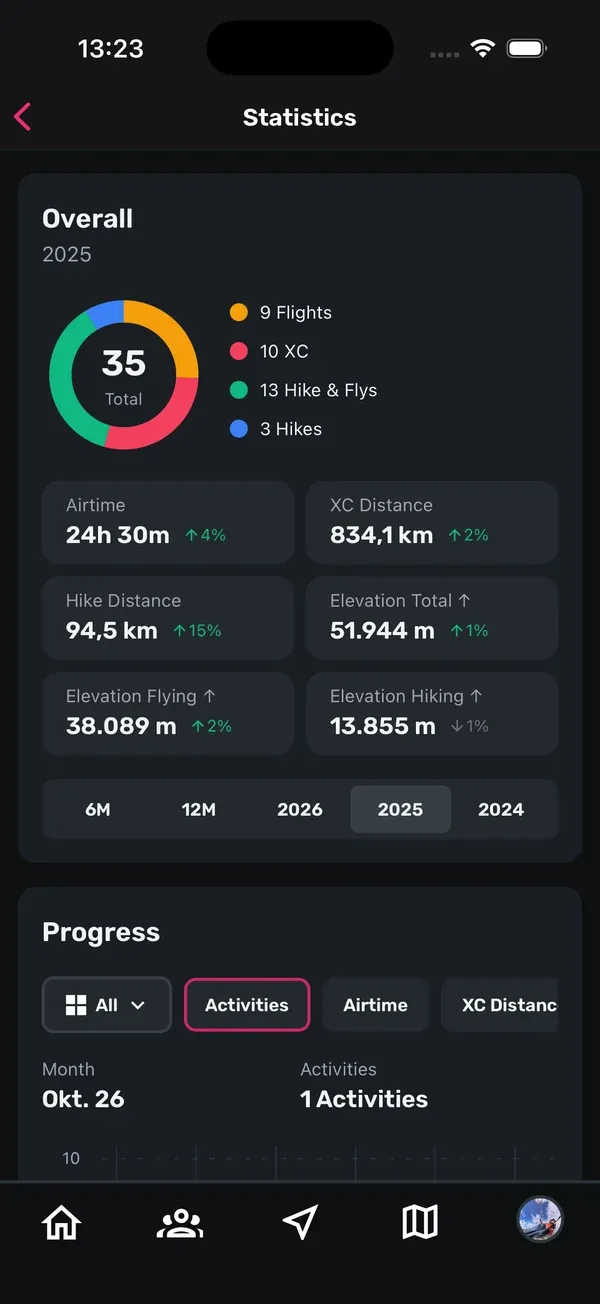
Tap View all next to Statistics. The Statistics screen has two parts.
Overall shows how your activities split into Flight, XC, Hike & Fly and Hike, and your totals for Airtime, XC Distance, Hike Distance, Elevation Total ↑, Elevation Flying ↑ and Elevation Hiking ↑. Sidekik also compares them with the period before, so you see at once whether you’ve flown more.
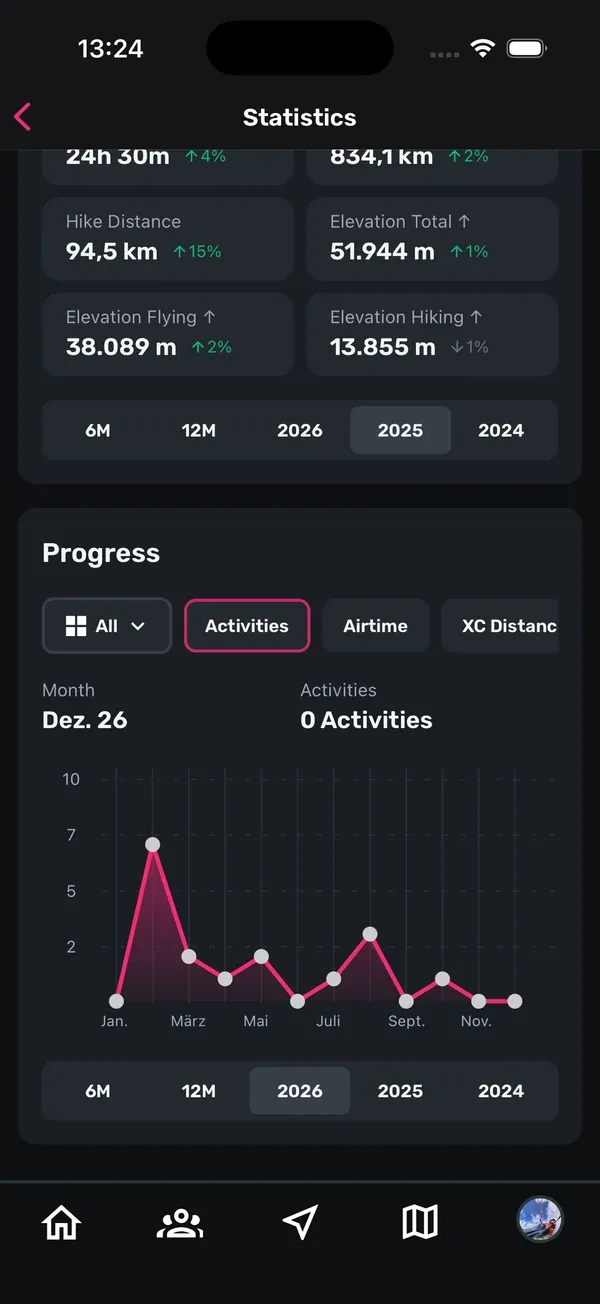
Progress is a chart, month by month:
- Pick the activity type: All, XC, Hike & Fly or Hike.
- Pick a metric: Activities, Airtime, XC Distance, Elevation Total ↑, Elevation Flying ↑ or Elevation Hiking ↑.
- Choose the time period below the chart: 6M, 12M or one of the last three years.
Months without any activity show up as zero, so gaps are easy to spot.
6M with the All activity type and the Activities metric is free. 12M and the years, the other metrics and the activity types XC, Hike & Fly and Hike need Sidekik Plus. You can tell them by the small Plus badge. See Free vs Sidekik Plus.
3. Your records
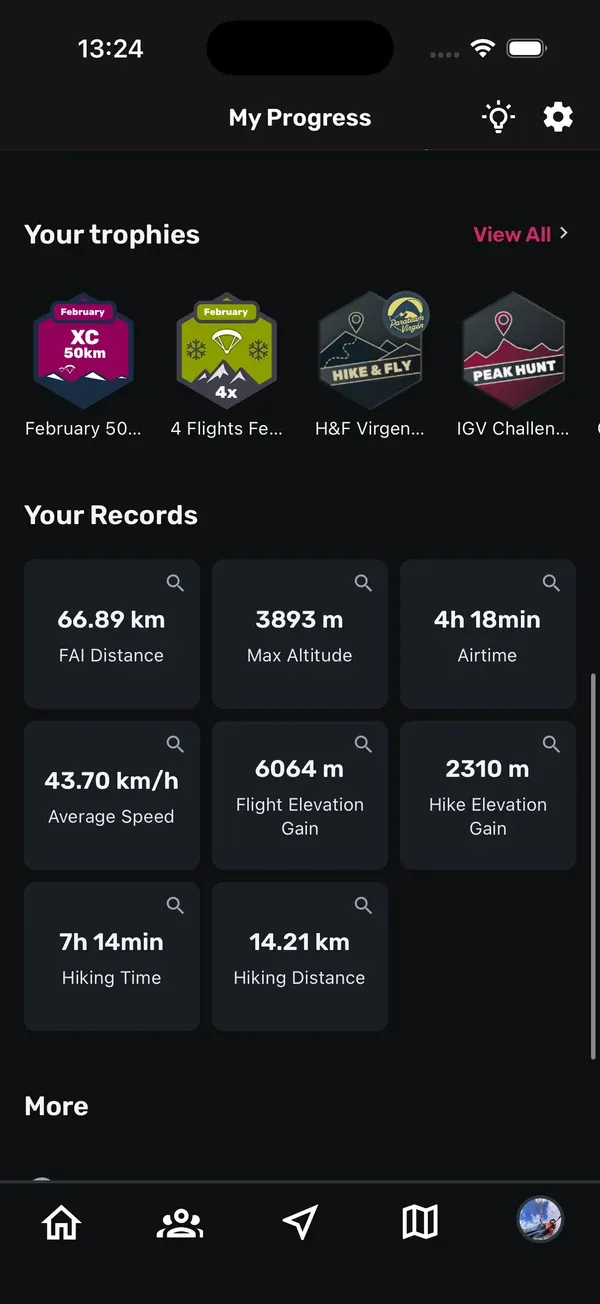
Under Your Records on the You tab, Sidekik shows your personal bests: FAI Distance, Max Altitude, Airtime, Average Speed, Flight Elevation Gain, Hike Elevation Gain, Hiking Time and Hiking Distance. Tap a record to open the flight where you set it.
Without Plus you see FAI Distance and Airtime. The full list needs Sidekik Plus. Tap View all in the last tile to unlock it.
4. Set your goals
A goal gives your season a direction: 30 flights this year, 10 hours of airtime this month, or finally that 100 km flight.
Tap View all next to My goals to open My Goals. Creating and editing goals needs Sidekik Plus.
- Tap the plus icon at the top right, or the Add new goal card.
- Choose the Activity Type: All, Hike&Fly or XC Flights.
- Choose the time frame: Annual, Monthly or Weekly.
- Choose the type of goal:
- Flights: the number of activities.
- Airtime: your total time in the air, in hours.
- Sum Dist.: all your distances added up, in km.
- Max Distance: your longest single flight, in km.
- Max Altitude: the highest point you reach, in m.
- Enter your target and tap Save.
Each goal shows up as a card with a progress ring and your current value next to the target. Once you reach it, a green tick appears.
To change a goal, tap the three dots on its card. Edit lets you set a new target (this needs Sidekik Plus). Delete removes the goal, and works without Plus too.
5. How progress is counted
Sidekik works out your progress from your flights:
- Calendar periods. A weekly goal counts the current week, a monthly goal the current month, an annual goal the current year. When a new period starts, the goal starts again at zero.
- The flight date counts, not the day you uploaded. A flight from last month you import today counts for last month.
- Activity type comes from your flight type. XC Flights only counts flights set to XC, Hike&Fly only flights set to Hike&Fly. All counts every activity, including hikes.
- Distances use the XC distance of each flight. Sum Dist. adds them up, Max Distance takes your best one.
- Deactivated flights don’t count.
Tips
- Set the right flight type. If a flight should count for an XC goal, set it to XC under Edit flight details. See Getting your flights into Sidekik.
- Mix short and long goals. A weekly goal keeps you going, an annual goal shows the big picture.
- Start realistic. You can always raise the target later with Edit.
- Compare periods. In Overall, switch the time period to see how this year compares with the last.
Related guides
Still have questions? Write to us at [email protected].