
Videos on your flights
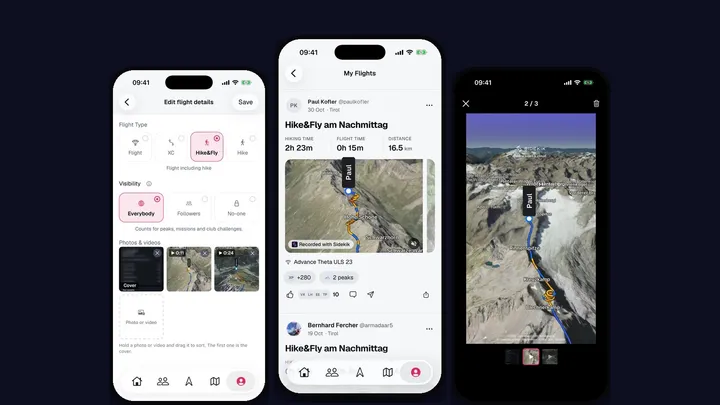
A photo shows where you were. A video shows what it was like: the launch run, the first thermal, the glide over the ridge. With Sidekik 5.3, every pilot can add videos to their flights, right next to their photos. No PLUS needed.
Add a video
Open a flight, tap Edit flight details and scroll to Photos & videos. Tap Photo or video and pick from your library. You can add up to three videos of up to 30 seconds each to a flight, and up to ten photos and videos in total.
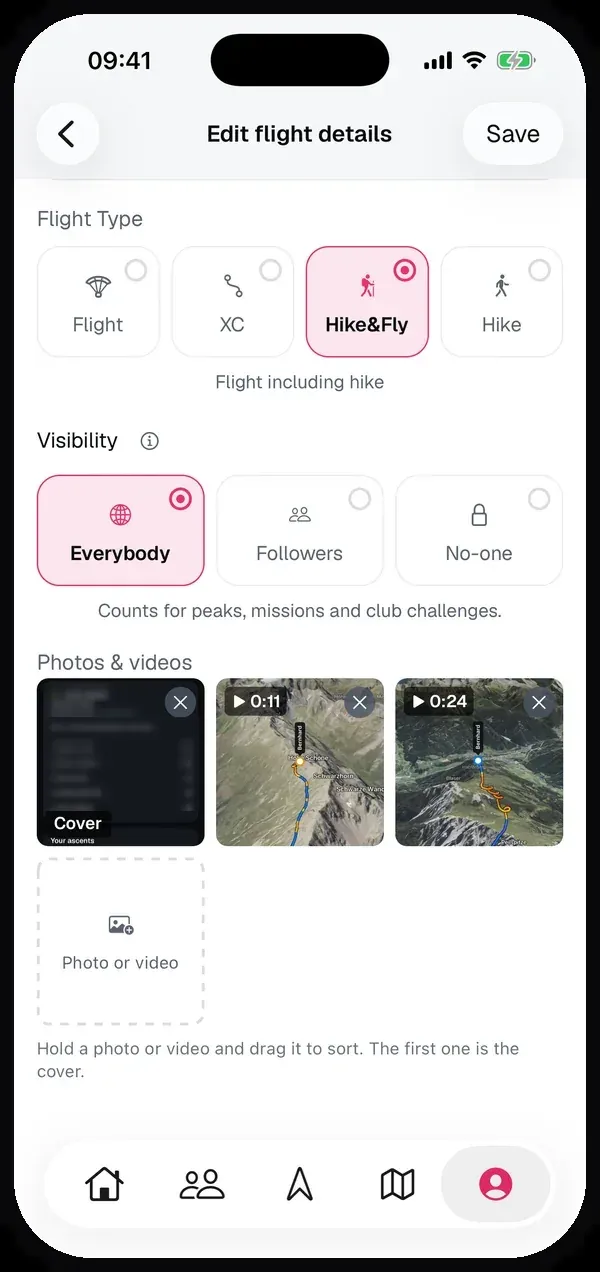
The video is made smaller on your phone before it goes up, so uploading doesn’t eat your data plan. Its tile shows a bar while it’s being prepared and uploaded, and the length once it’s done. Hold a photo or video and drag it to sort. The first one is the cover.
Longer than 30 seconds?
No need to cut it in another app first. If a video is longer, Sidekik opens a trim screen: drag the window to the 30 seconds you want to keep and tap Use. Pick several long videos at once and the trim screens come one after another. Close one and only that video is left out.
In the feed
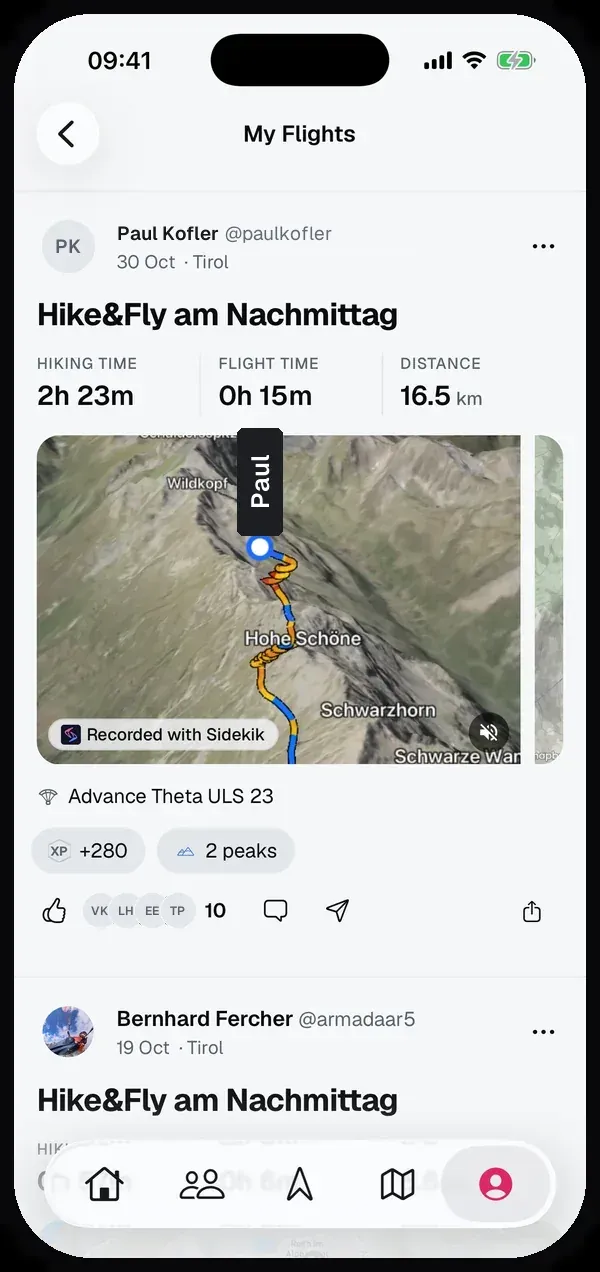
When a flight has a video, it’s the first thing your friends see in the feed, ahead of the map. It plays muted as you scroll past, and the button in the corner turns the sound on. Tap it to open the flight, and tap it there again to watch it full screen.
Look at your photos and videos full screen
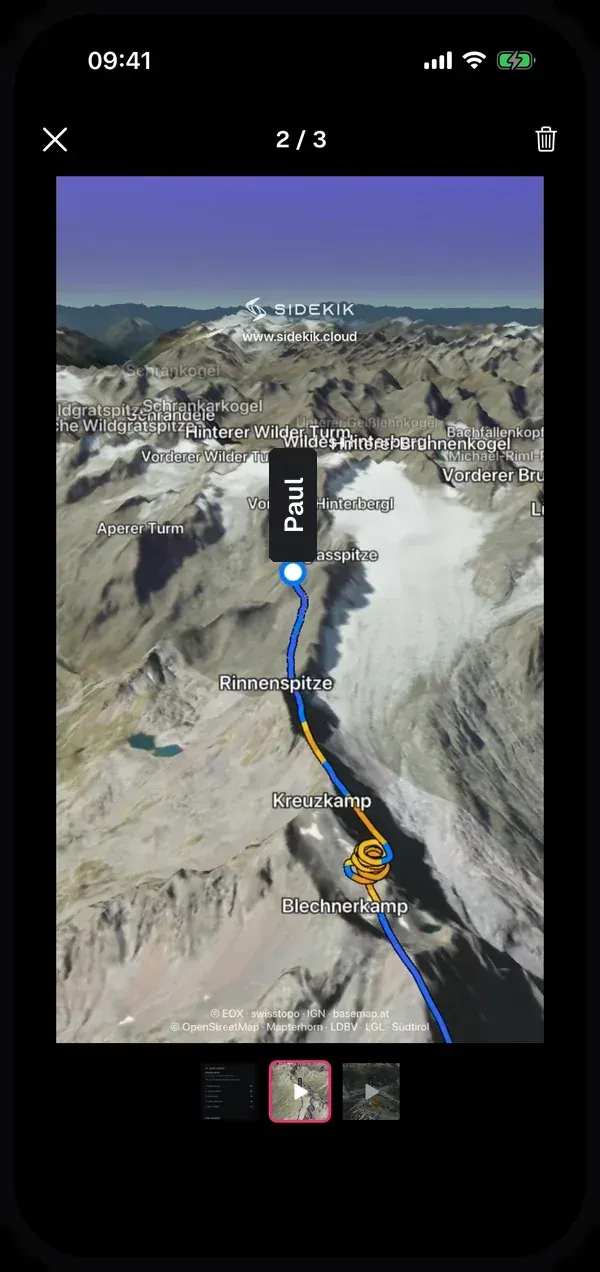
On the edit page, tap a photo or video to open it full screen. Swipe between them, pinch to zoom into a photo, and jump to any of them with the small thumbnails at the bottom. The trash icon removes one from the flight.
Good to know
- Videos are free for everyone, you don’t need Sidekik PLUS.
- Pilots see your videos in Sidekik 5.3 or later. Older versions still show your photos and the map.
- Who sees a video is up to the flight’s visibility: you decide who sees your flights.
Update to Sidekik 5.3, pick your best clip from the last flying day and add it to the flight.