
You decide who sees your flights
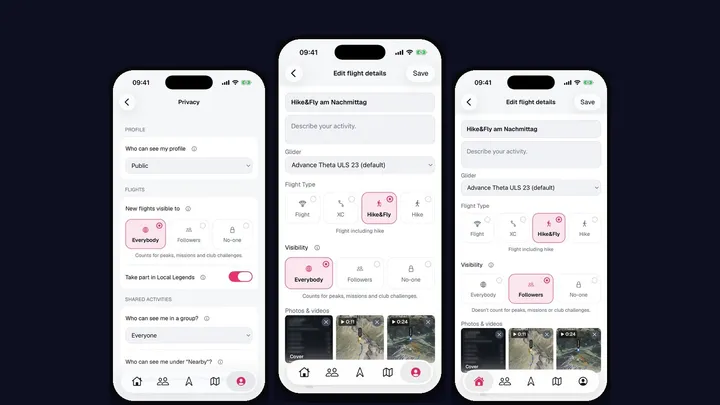
Not every flight is one you want to show the whole world. The first attempt at a new route, a training day that went sideways, or simply a flight you’d rather keep for yourself and your friends. Until now every flight in Sidekik was public. With Sidekik 5.3 you decide, flight by flight.
Everybody, Followers or No-one
Open a flight, tap Edit flight details and choose under Visibility:
- Everybody: anyone can see it, like before.
- Followers: only your accepted followers can see it.
- No-one: only you can see it.
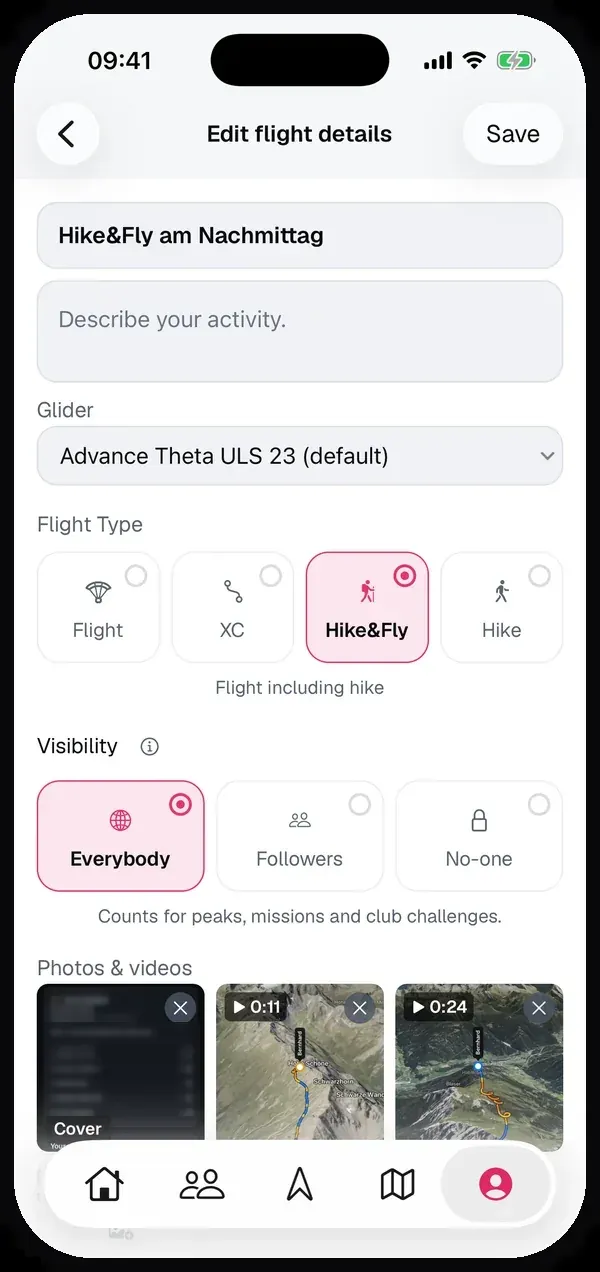
You can change it any time, also for flights you uploaded long ago. Flights that aren’t public get a small icon in the feed and on your profile, so you always know which ones only your followers or only you can see. 3D replays work for them too.
A default for new flights
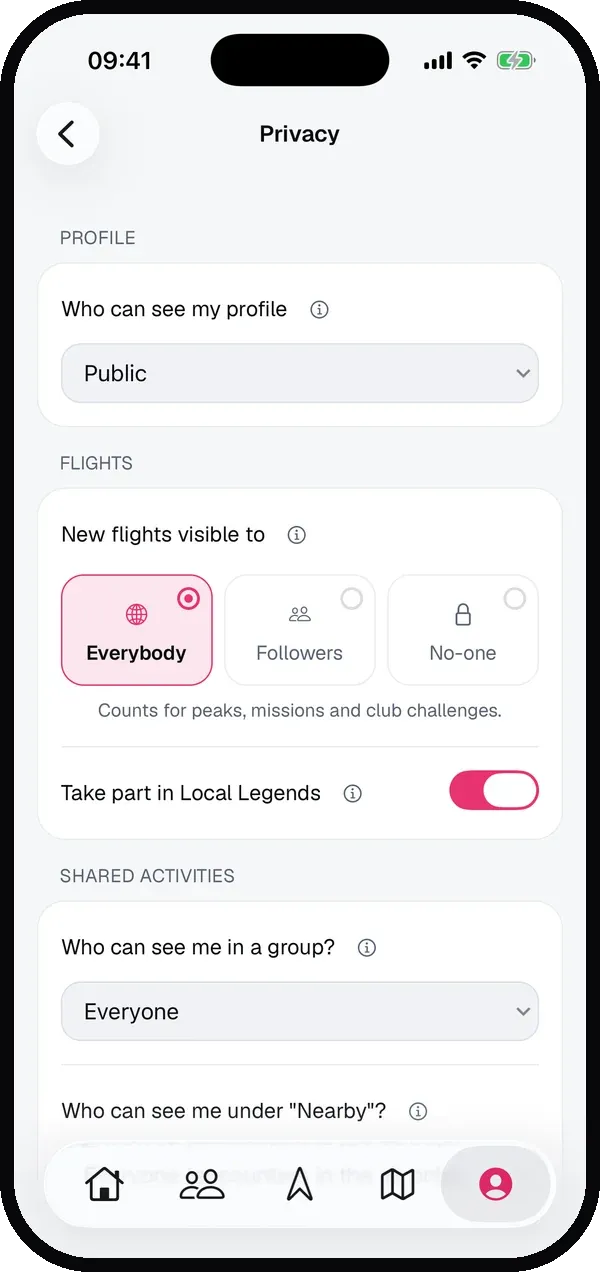
If you’d rather share most of your flights only with your followers, you don’t have to change every flight by hand. In Settings → Privacy, set New flights visible to. It applies to every flight you record, upload or import from then on. You can still change it for each flight afterwards.
What counts for peaks, missions and club challenges
Peaks, missions and club challenges are about comparing yourself with others, so only flights that everybody can see take part. Sidekik tells you below the choice: Everybody counts, Followers and No-one don’t.
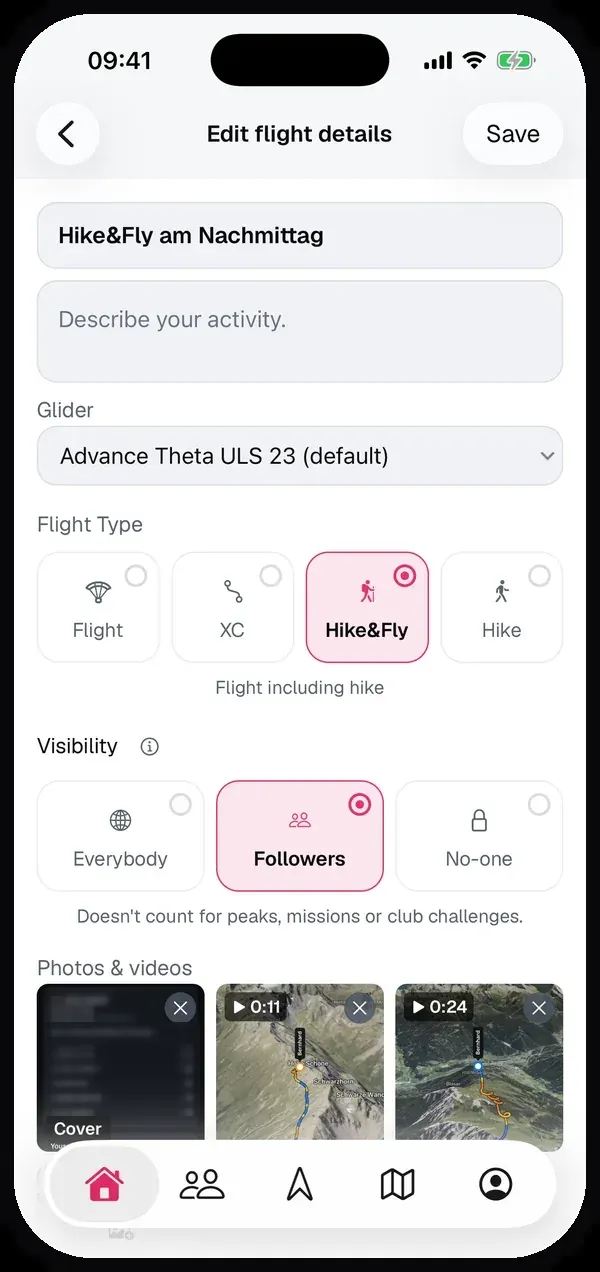
If you hide a flight that already counted, Sidekik asks first. The flight then leaves peak collecting, missions and club challenges, and a peak you first collected on it can move to another of your flights. Make it public again and it counts again a moment later.
Good to know
- Private profile: if your profile is private, flights set to Everybody are only shown to your followers anyway. They still count for peaks, missions and club challenges.
- Links: a shared link to a Followers flight only opens for your followers, a link to a No-one flight only for you.
- Live tracking stays public. The setting is for your saved flights.
- Groups and Nearby have their own settings on the same page. More on that in Fly together.
Update to Sidekik 5.3 and set the default that suits you in Settings → Privacy.