
Sidekik 5.0: Peaks, glide reach and a whole new look
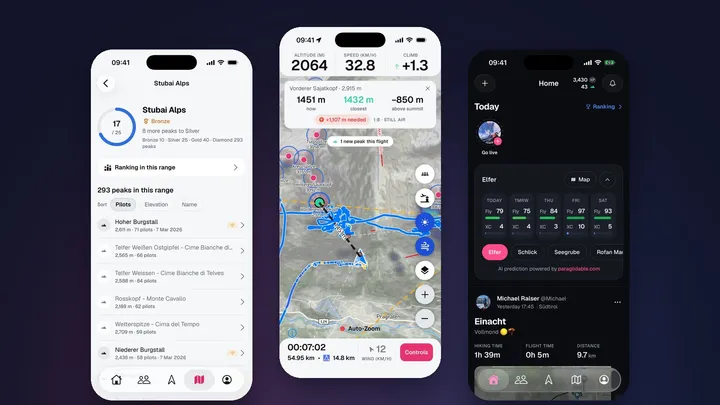
Sidekik 5.0 is here, and it’s our biggest update yet. We redesigned the app from the ground up, built a brand-new feature and added a few things to tracking that we’d been wishing for in the air ourselves.
Here’s the overview.
Peaks: your summit collection
Every pilot has them in their head: the summits you’ve stood on, and the ones you’ve flown over. With Peaks, Sidekik now keeps that list for you.
Every summit you hike or fly over lands in your collection automatically once you upload the flight. There’s no challenge to join and nothing to set up. And the best part: your past flights count too. The first time you open Peaks, Sidekik searches every flight you’ve ever uploaded and tells you how many summits you’ve already collected.
What you get:
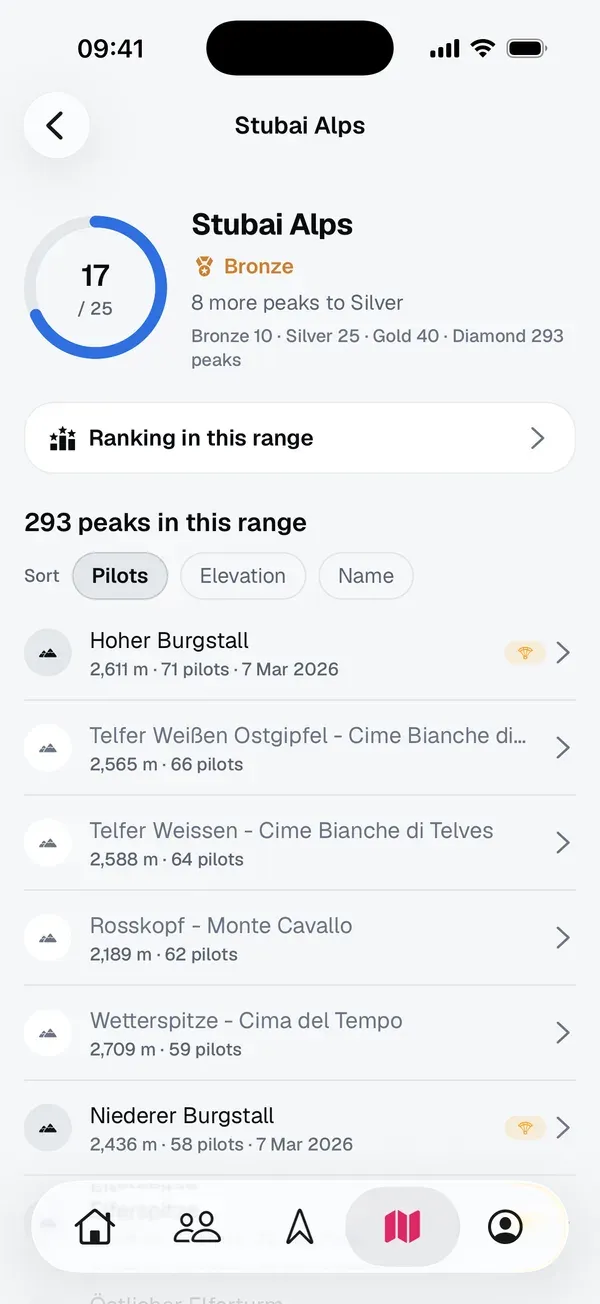
- Medals per range. Your summits are sorted by mountain range, from the Karwendel to the Dolomites. In every range you can earn Bronze, Silver, Gold and Diamond. Diamond means you really have every single summit in that range.
- Rankings. Next to the XP ranking, the Community tab now has a peaks ranking, and every range has its own. Every pilot profile shows their summit collection too.
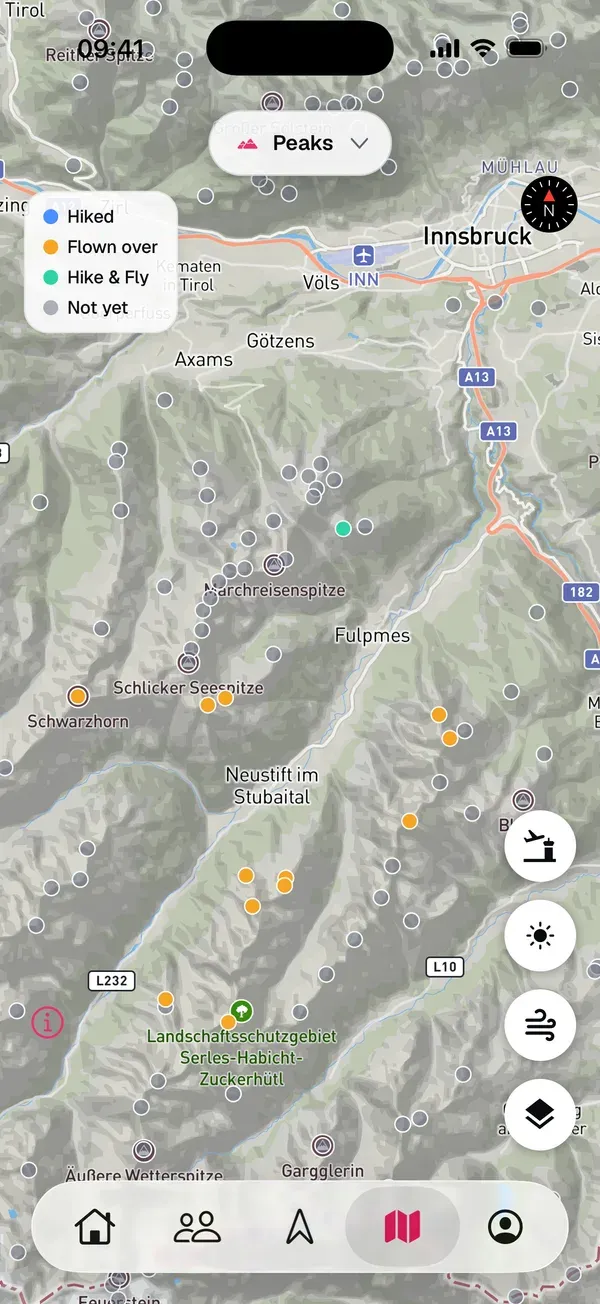
- Summits on the map. The new Peaks layer in the Map tab shows which summits you already have and which are still open. Perfect for planning your next hike & fly.
- Summits in flight. While tracking, the collect zones are drawn true to scale on the map, so you know exactly how close you need to get.
- XP for new summits. 30 XP for every summit that’s new to your collection, plus 10 XP the first time you reach a summit in a season.
How a summit counts and how the medals work is explained step by step in the guide Peaks: your summit collection.
New in flight
Glide reach
Can I still make it to the summit? Do I have enough height for the next turnpoint? Sidekik now answers that right in the tracking screen.
At takeoff you pick your glider. For each glider you can set its class and glide ratio under Settings › Manage your gliders. In flight, Sidekik then works out whether you can reach your current target on glide: green with your arrival height if you can, red with the height you’re still missing if you can’t. It works for peaks, challenge waypoints and the next turnpoint of a task.
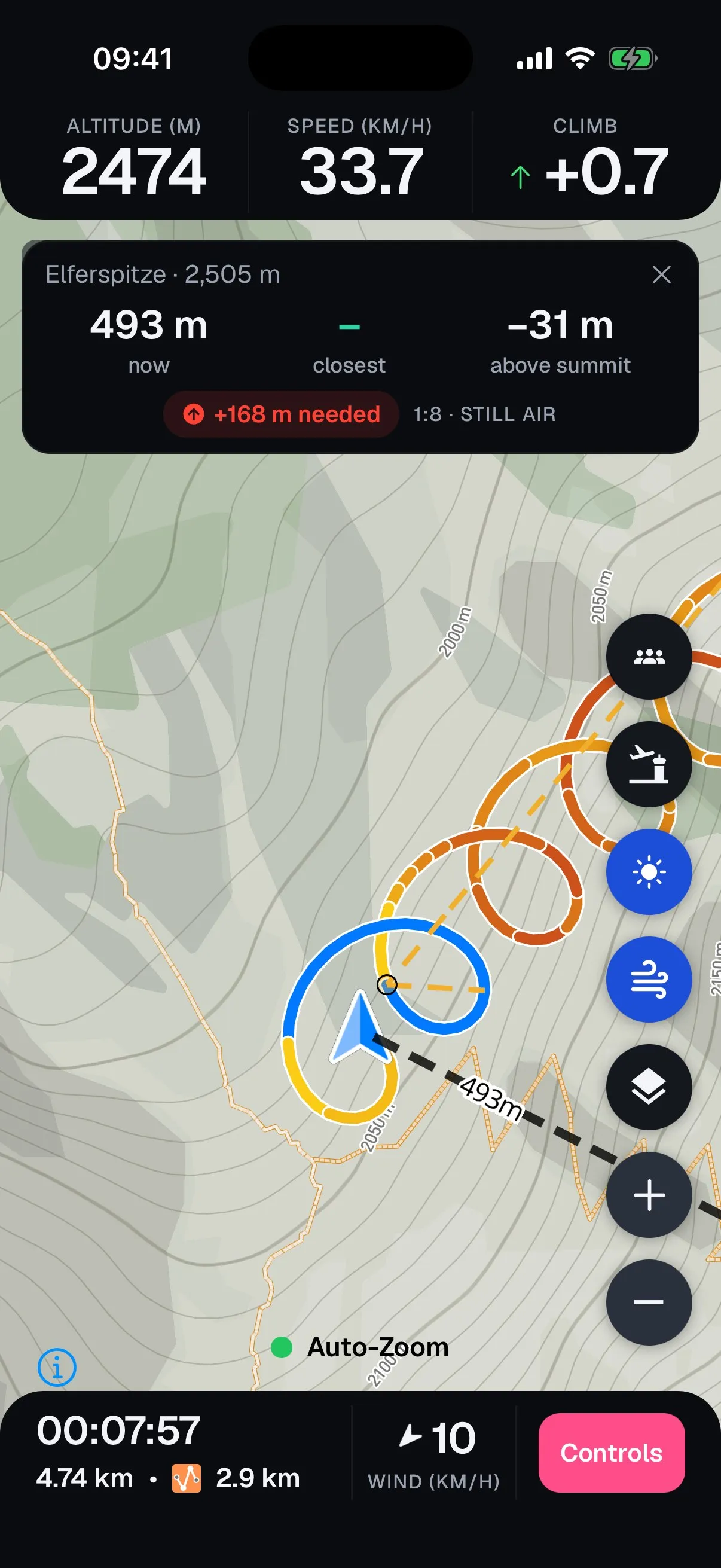
Sidekik assumes still air and keeps a 100-metre reserve. It doesn’t know about headwind, sink or lee. Treat it as a guide; the decision is yours.
Wind estimate from your circles
As soon as you fly a full circle in a thermal, Sidekik estimates wind direction and speed from your GPS ground speed. You see the values at the bottom of the tracking screen. The estimate is shown in full once a second circle confirms it, and it fades again when it’s older than ten minutes.
Live cheering
When you fly with live tracking, your friends can now cheer you on. In flight you see at the top of the map how many people are watching and how often you’ve been cheered. After landing, the flight shows who cheered for you live.
Live Activity on iPhone
On iPhone you can now follow your flight on the Lock Screen and in the Dynamic Island without opening the app.
A new look
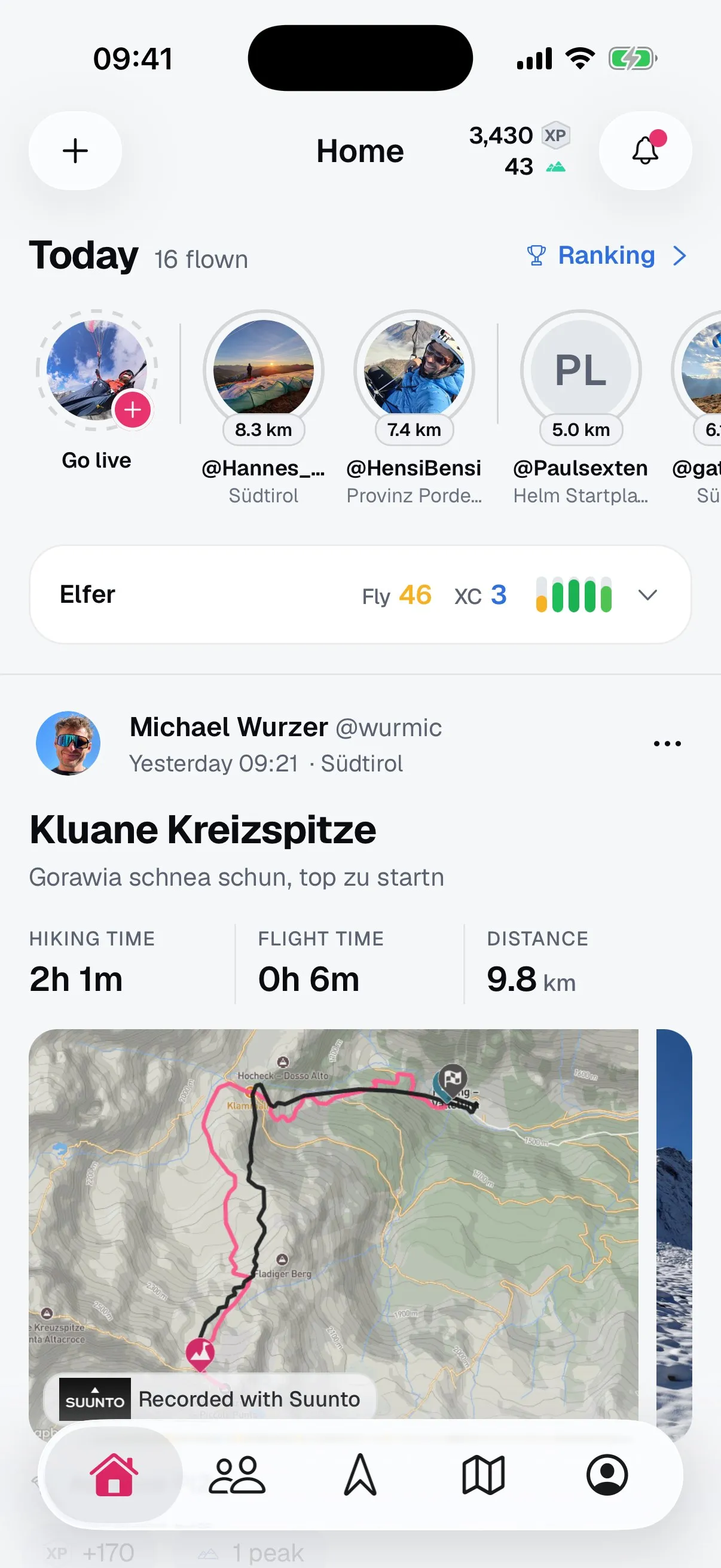
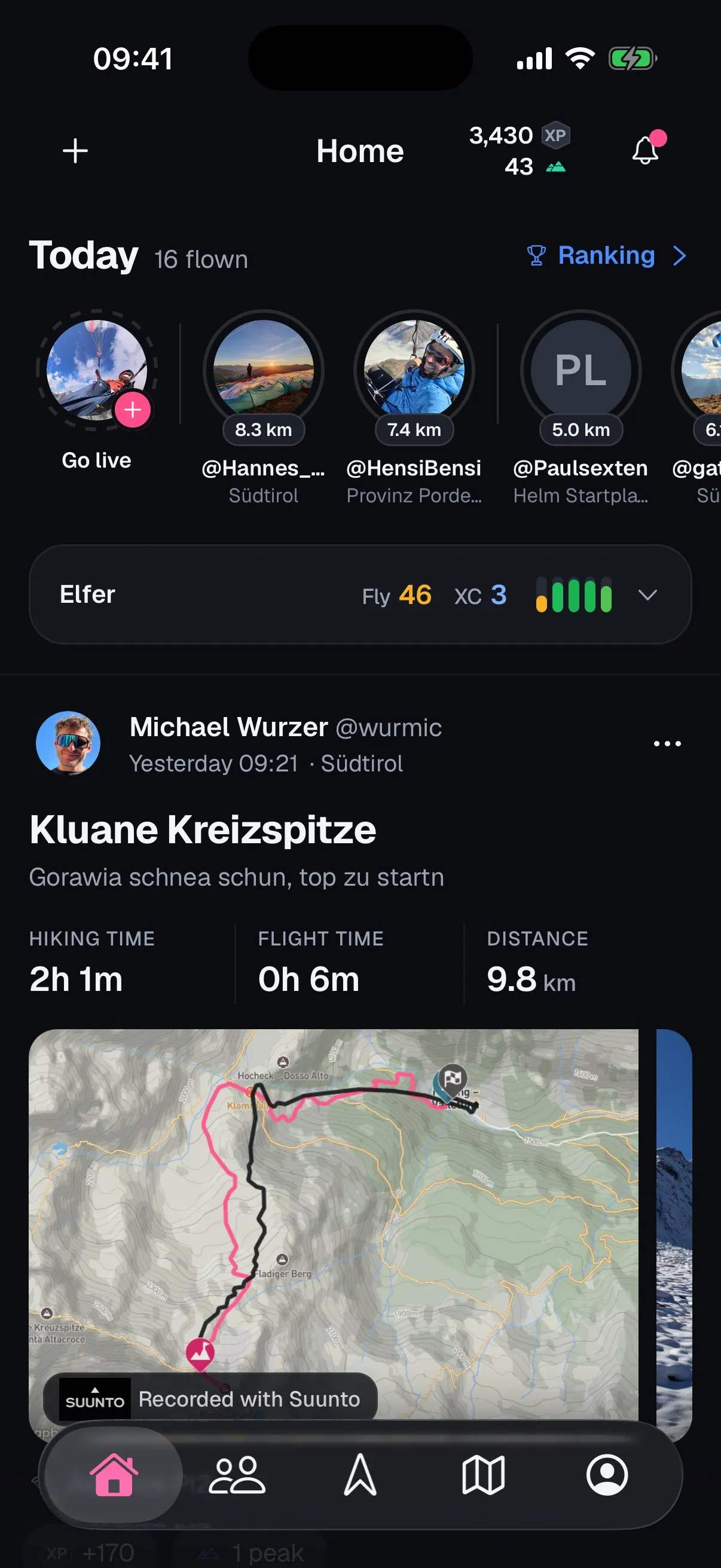
Sidekik has a new design: new pink and blue colours, a new typeface, a new app icon and reworked screens, from the feed and statistics to challenges and rankings.
And because not everyone likes sitting in the dark, there’s now a light mode. Under Settings › Appearance you choose Light, Dark or System. With System, Sidekik follows your phone’s setting.
And there’s more
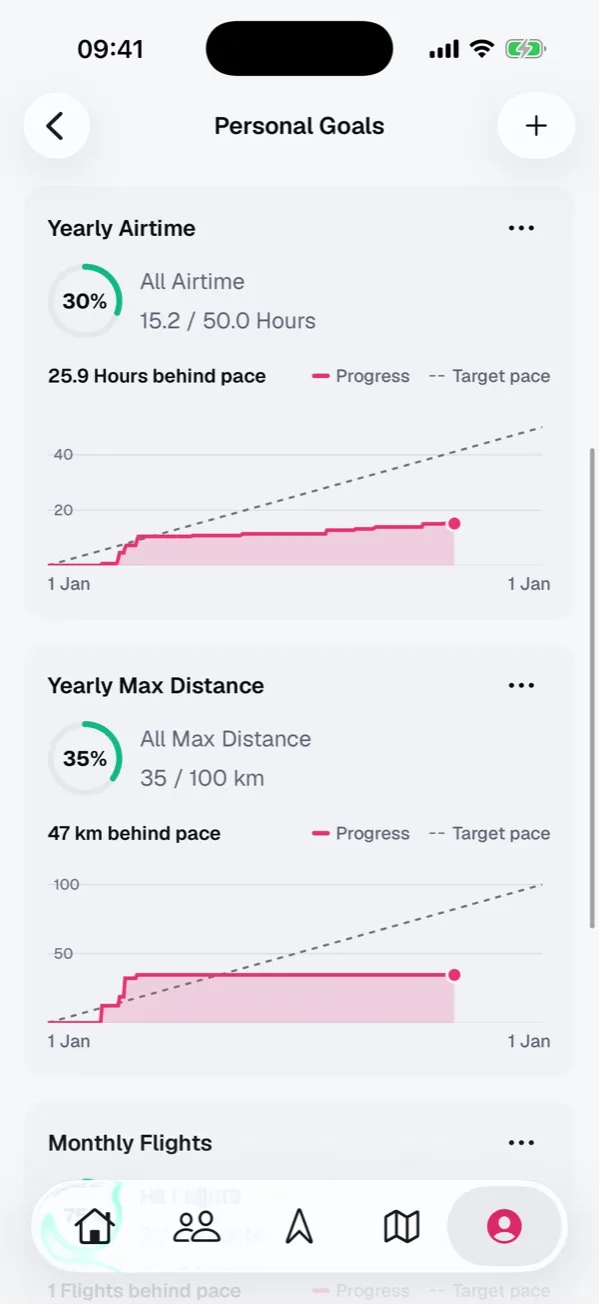
- Goals with a history. Your personal goals now show a chart: your progress over time, next to the line you’d need to follow to hit the goal. You see at a glance whether you’re ahead or behind. More in the guide Statistics and goals.
- 3D Replay. You can now adjust the camera angle, and the replay has its own settings. Everything about the replay is in this post.
- Suunto import. Besides flights and hikes, mountaineering activities are now imported too.
- Faster sign-up. New pilots are ready to go in fewer steps.
We also fixed a number of bugs, including a crash when starting the app without an internet connection. We removed the winter map style, because it made the app crash on some devices.
Update now
Sidekik 5.0 is available now on the App Store and Google Play. If you find a bug or have an idea, write to us at [email protected]. We read every message.
Here’s to lots of new summits!