
Club Peak Hunts, tasks and segments
Many clubs run their own Peak Hunts, competition tasks and segments in Sidekik. They’re a great way to get the whole club flying: collect the local peaks over a season, fly a club task on a good day, or race your friends on a classic route.
This guide shows where you find them on your club page and how you join in. The details of each format are in their own guides, linked below.
1. Where to find them
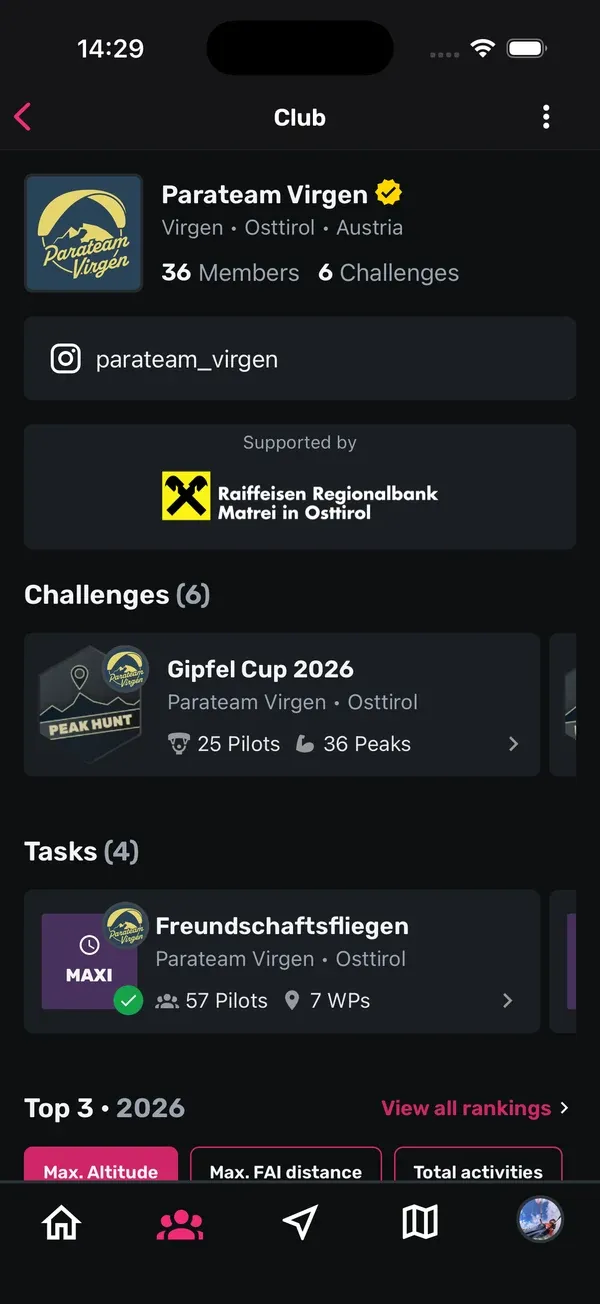
Open your club’s page (Community > Clubs > tap your club). Below the club info you’ll see up to three sections:
- Challenges: the club’s Peak Hunts.
- Tasks: the club’s competition tasks.
- Segments: the club’s segments.
A section only appears if the club has something in it. The number in brackets tells you how many there are. If there are several, swipe sideways. Running items come first, finished ones move to the end.
2. Join a club Peak Hunt
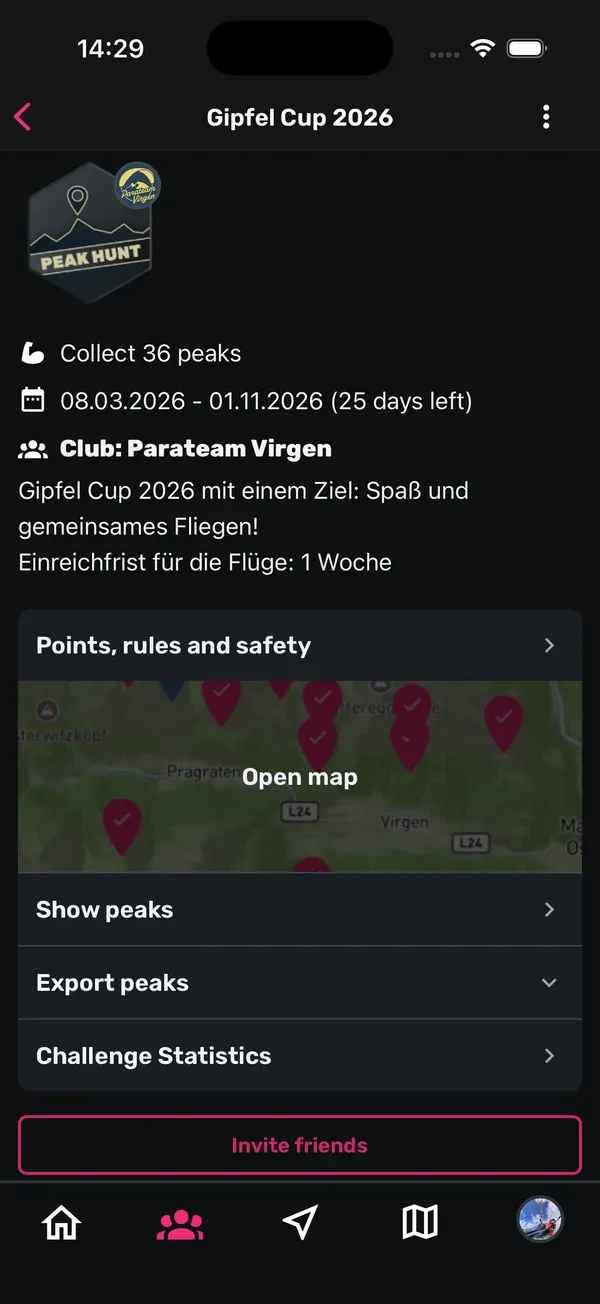
- Tap a Peak Hunt in Challenges.
- Read the rules and tap Join challenge.
- Confirm with Confirm in Confirm participation.
Some club Peak Hunts are private. They show a Private badge, and only club members can join them. If you aren’t a member yet, you’ll see Club members only. Join the club first, as explained in Clubs at a glance.
How collecting peaks, points and the leaderboard work is explained in Peak Hunts.
3. Join a club task
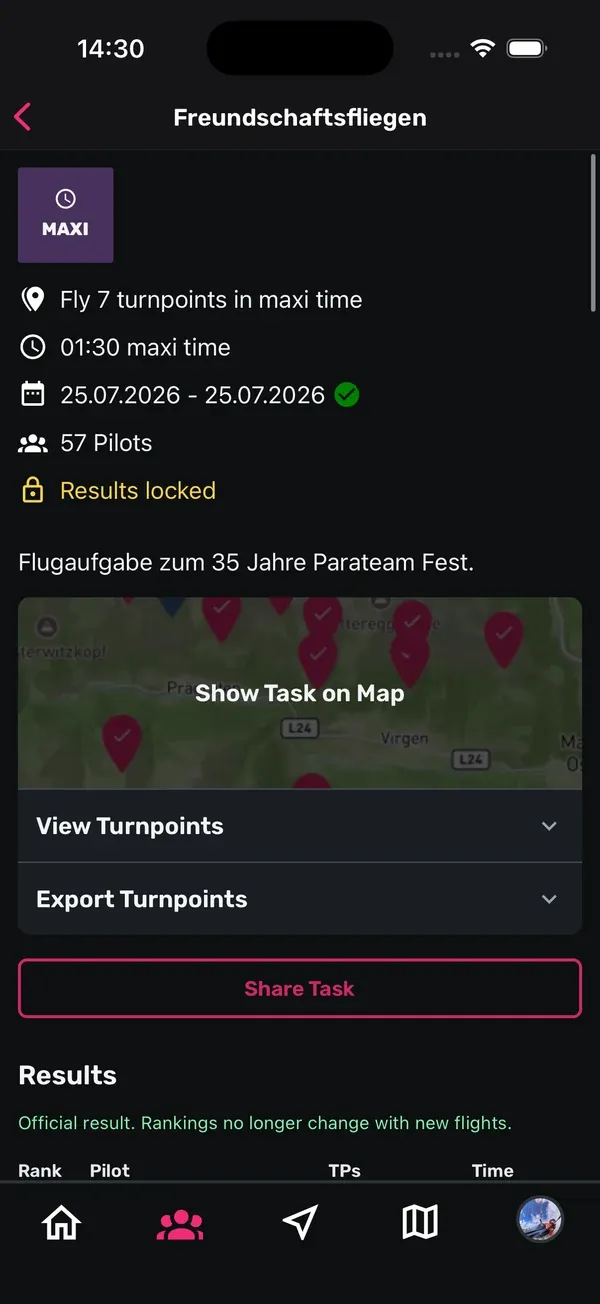
- Tap a task in Tasks.
- Tap Join Task and confirm with Join.
Some tasks are managed by the organisers. In that case you can’t join yourself, and the app shows This task can only be managed by admins. Ask your club admins to add you.
If you want to step out again, tap Leave Task. Your results for that task are removed. Everything about flying a task is in Competition tasks.
4. Club segments
Tap a segment in Segments to open it. You’ll see its Leaderboard, and with My Results your own times on it. How segments work and how your flights get onto the leaderboard is explained in Segments.
5. How a club gets its own
Club Peak Hunts, tasks and segments are set up by the club admins: Peak Hunts in the app or in the browser, tasks and segments on the club admin page in the browser. How that works is explained in Running a club.
Club admins also find Create Peak Hunt Challenge in the club menu (the three dots on the club page). It explains how Peak Hunts work and links to the rules and point system.
Tips
- Check your club page at the start of the season. That’s when new Peak Hunts and tasks usually show up.
- Invite your friends. On a Peak Hunt, Invite friends lets you share it with pilots who aren’t in yet.
- Look at the finished ones too. They’re at the end of each row and show you how your club did last time.
- Got an idea for a club challenge? Talk to your club admins. They can get in touch with us to set it up.
Related guides
Still have questions? Write to us at [email protected].