
Free vs Sidekik Plus
Most of Sidekik is free. You can track and upload your flights, follow your friends, join Peak Hunts and use the map without paying anything.
Sidekik Plus is the optional subscription on top. It unlocks deeper statistics, personal goals, extra map layers and a few things that help when you’re navigating in the air. This page gives you the overview, and each point links to the guide that explains it in detail.
1. What’s free
- Tracking your flights with Sidekik, and uploading or importing flights from IGC/GPX files, XContest, Garmin Connect and Suunto. See Getting your flights into Sidekik.
- Your feed, comments, friends, clubs and Peak Hunts.
- The map with the thermal and airspace layers.
- Loading a task you joined for navigation while tracking.
- Choosing an area for offline maps (downloading it needs Plus, see below).
- Your statistics for the last 6 months, with the number of activities over time.
- Two of your personal records: FAI Distance and Airtime.
- Looking at and deleting goals you already have.
2. What Sidekik Plus adds
Wherever a feature needs Plus, you’ll see a small Sidekik Plus badge next to it. Tap it and the Plus screen opens.
- More statistics. The 12M view, the current and the last two years, the metrics Airtime, XC Distance, Elevation Total ↑, Elevation Flying ↑ and Elevation Hiking ↑, and the activity types XC, Hike & Fly and Hike. See Statistics and goals.
- Personal goals. Creating and editing weekly, monthly and annual goals. See Statistics and goals.
- All your records. The full list of personal records instead of just two. See Your profile.
- Segments and 3D terrain. Switching the Segments layer on and off on the map (everyone sees the segment lines), and the 3D terrain view on a flight’s map. See The map before you fly and Segments.
- Peak Hunt navigation. Adding Peak Hunt challenges with Load Challenge WPs while tracking, so their peaks and waypoints guide you in the air. See Tracking a flight and Peak Hunts.
- Offline. Downloading offline map regions, and syncing your challenges and tasks so they’re available without signal. See Tracking a flight.
3. How to get Plus
There are a few ways to open the Plus screen:
- On the Home tab, tap Upgrade in the header.
- On the You tab, tap the Sidekik Plus banner at the top.
- Tap any feature with the Plus badge, for example 12M in your statistics or 3D terrain on a flight’s map.
- In Offline Maps, tap Upgrade to PLUS when it shows up there.
The Plus screen shows the available plans with their current prices in your currency. You pay through the App Store or Google Play, just like any other app subscription. You need an internet connection for this.
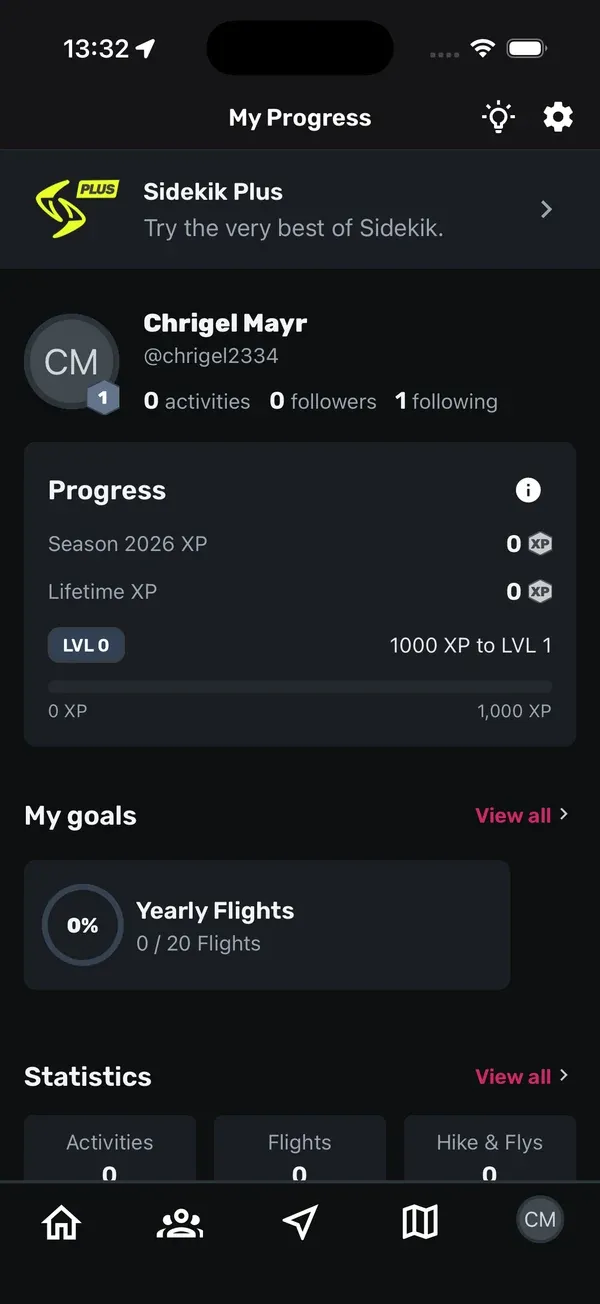
Plus belongs to your Sidekik account. Log in with the same account on another phone and Plus is unlocked there too.
4. Manage or cancel Plus
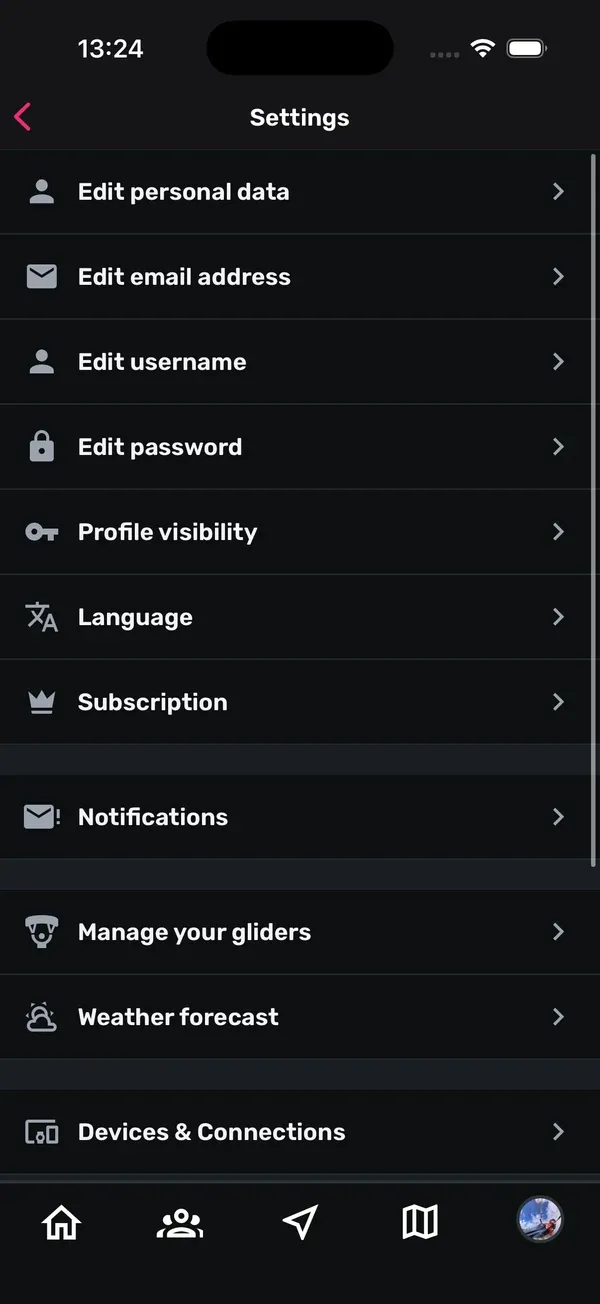
- On the You tab, tap the gear icon at the top right (or Settings at the bottom of the page).
- Tap Subscription.
- Your subscription overview opens. From there you can manage or cancel your plan.
You can also cancel straight in the subscription settings of the App Store (iPhone) or Google Play (Android). After cancelling, Plus stays active until the end of the period you’ve already paid for.
When Plus ends, nothing you’ve recorded is lost. Your flights, records and goals stay. You just see the free version of the statistics and records again, and you can’t create or edit goals until you upgrade again.
5. Club plans are something else
Clubs on Sidekik have their own plans: Free, Silver and Gold, plus Member Packages. They’re for running a club and are paid by the club, not by you as a pilot. A club plan doesn’t give you Sidekik Plus, and Sidekik Plus doesn’t upgrade your club. More in Running a club.
Tips
- Try the free version first. Track a few flights, and the Plus badges show you exactly what you’d get.
- Watch the badge. Anything with the small Sidekik Plus badge needs Plus. Everything else is free.
- Plan offline before you go. If you want offline maps or Peak Hunts without signal, set it up at home on Wi-Fi.
- Changed phones? Just log in with your account. Plus comes with you.
Related guides
Still have questions? Write to us at [email protected].