
Flying with friends
Paragliding is more fun together, even when you’re not on the same launch. Sidekik shows you what your friends have been flying, lets you cheer them on, and helps you find new pilots to follow.
This guide walks you through the feed on Home, Flykes and comments, following other pilots (including private profiles) and the On Air row that shows who is flying right now.
1. Your feed on Home
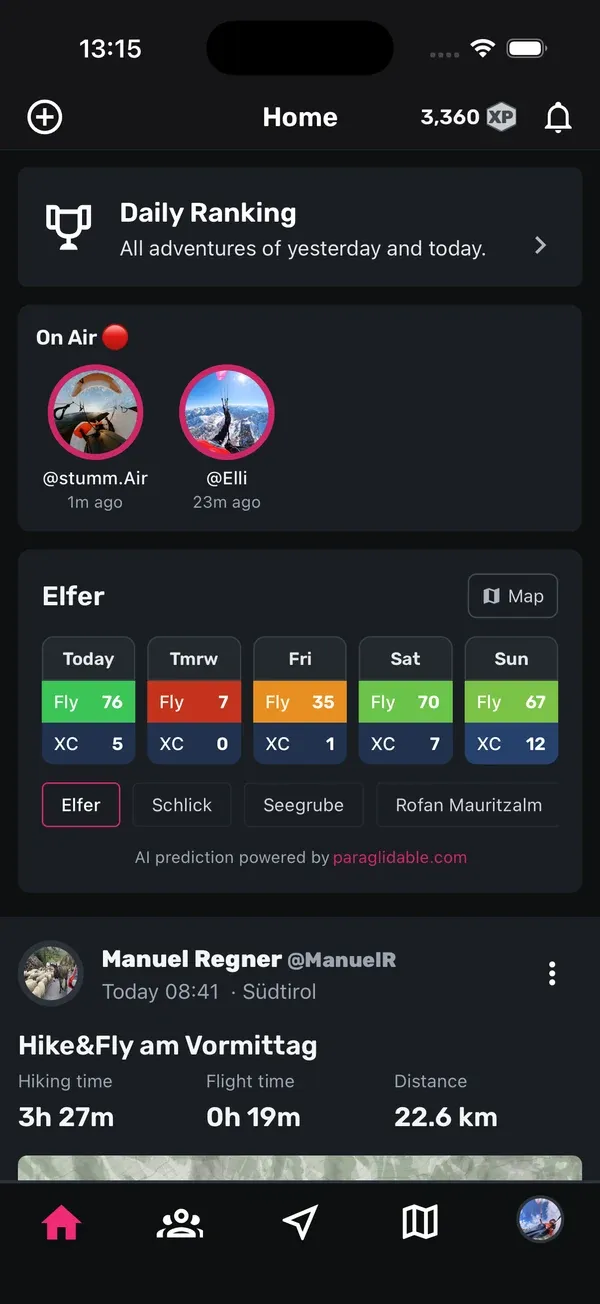
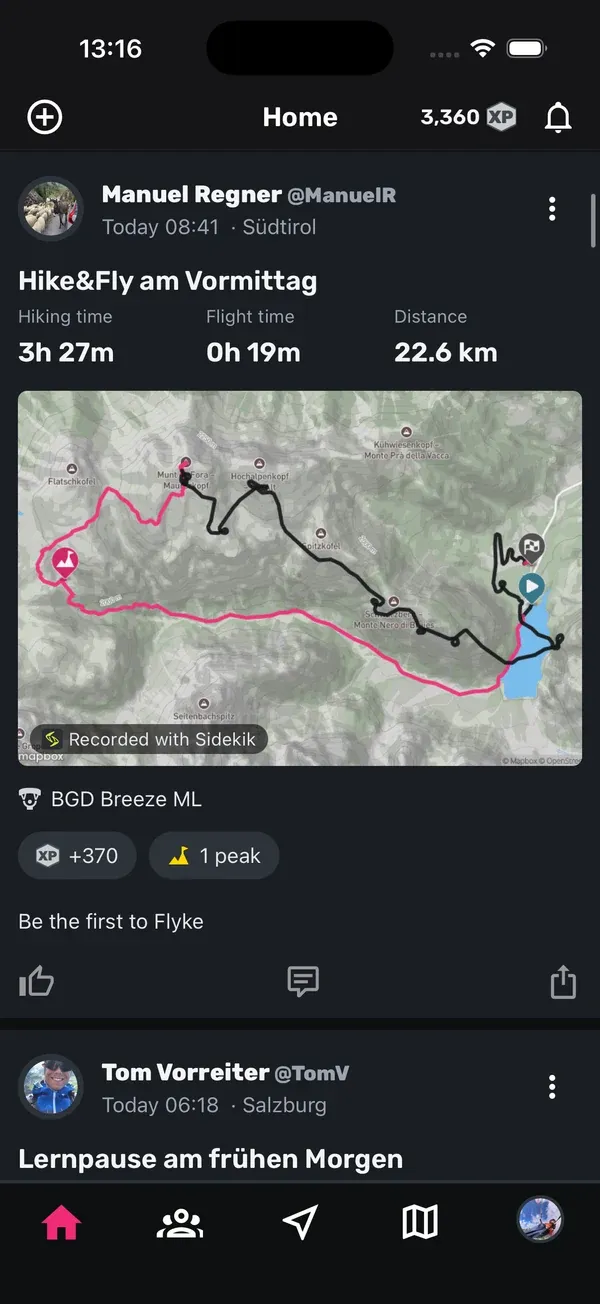
Open the Home tab. The feed shows flights from the pilots you follow, together with your own. Tap a flight card to open the flight with all its details.
- Pull down to refresh the feed.
- Scroll down to load older flights.
- Every few flights you’ll see Recommended pilots for you, a row of pilots you might know. More on that in step 5.
If your feed is still empty, you’ll see No flights found. Follow a few pilots or upload your own flights and it fills up quickly.
2. On Air: who is flying right now
When pilots you follow are live tracking, an On Air row appears at the top of your feed. Each pilot shows their profile picture, username and how long ago their last position came in.
- Tap a pilot in the row.
- The Map tab opens and shows where they are.
If you’re live tracking yourself, you appear in the row too. Your picture has a small ×. Tap it and confirm with Remove to take today’s live track off the map.
3. Flykes
On Sidekik, likes are called Flykes. Below every flight you’ll find a thumbs-up button.
- Give a Flyke: tap the thumbs-up. It turns coloured.
- Take it back: tap it again.
- See who flyked: tap the profile pictures and the Flykes count next to them. A list opens, and you can tap any name to open that pilot’s profile.
A flight without any Flykes yet shows Be the first to Flyke.
4. Comments
Tell your friends what you think of their flight:
- Tap the speech bubble below the flight, or the number of comments on the right.
- Type your message in Write a comment….
- Tap the send button.
In the comment list, tap the heart under a comment to like it. You can delete your own comments with the bin icon. This happens right away, without a confirmation.
5. Find pilots and follow them
There are two ways to find pilots:
- Search: open the Community tab and tap the magnifying glass at the top left. On the Find pilots screen, type at least three letters of a name into Find other pilots….
- Recommendations: below the search field, and in the feed on Home, you’ll find Recommended pilots for you. Tap Show more in the feed to get to the full list.
Tap Follow next to a pilot, or open their profile and tap Follow there. From now on, their flights show up in your feed. To stop following someone, open their profile and tap Unfollow.
6. Private profiles and follow requests
Some pilots set their profile to private. When you tap Follow on a private profile, the button changes to Requested. Once the pilot accepts, you’re following them. If you change your mind before that, tap Requested again to withdraw your request.
You can make your own profile private too:
- Open the You tab and go to Settings.
- Tap Profile visibility and choose Private.
From then on, other pilots have to send you a follow request. Your feed, equipment and statistics are only visible to accepted followers and your club members.
When someone sends you a request, you get a notification. To answer it, tap your followers count on the You tab. Requests show up in the list with Accept and Reject.
7. Clubs
Many pilots fly with a club. In Sidekik, your club has its own page with members, Peak Hunts, tasks, segments and a club leaderboard. You’ll find everything about it in Clubs at a glance.
Tips
- Follow your flying buddies first. Your feed and the On Air row get much more interesting once a few friends are in there.
- Check On Air before you drive to launch. If your friends are already in the air, you’ll see it right away.
- A Flyke takes one tap. It’s a nice way to say “great flight” when you don’t have time for a comment.
- Going private? Remember to check your followers list now and then so pending requests don’t wait too long.
Related guides
Still have questions? Write to us at [email protected].