
XP and levels
Every flight and every hike you record in Sidekik earns you experience points (XP). They add up to your level, and they decide your place in the season ranking.
You don’t have to set anything up. Upload or record your activities as usual and the XP arrive on their own.
1. How you earn XP
You can always check the current rules in the app: tap the info icon (i) next to Progress to open How to collect XP.
XP for flights:
- 20 XP per 10 minutes of flight time
- 50 XP per 10km of flight distance
XP for hiking:
- 10 XP per 10 minutes of hiking time
- 10 XP per 1km of hiking distance
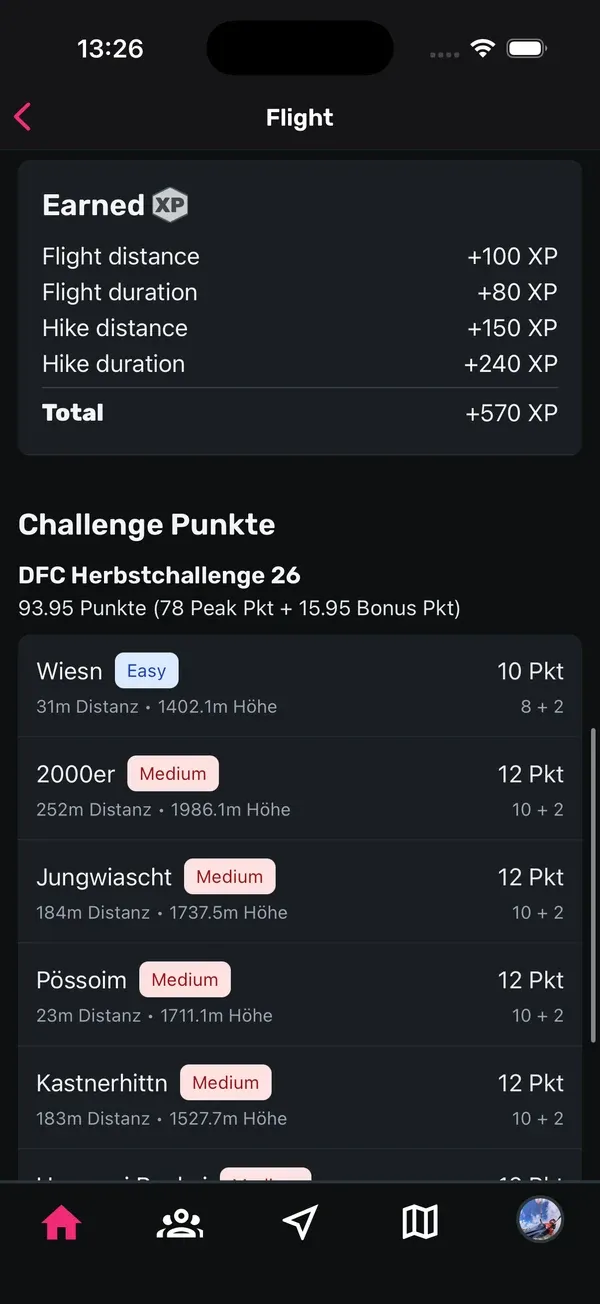
On top of that, peaks you tag in a Peak Hunt can bring extra XP. They show up on the flight as Challenge peaks.
Sidekik calculates the XP for each activity after the upload. Since 2026 there’s no XP just for uploading an activity anymore. Older flights may still show it. The background is in New XP calculation.
2. XP on each flight
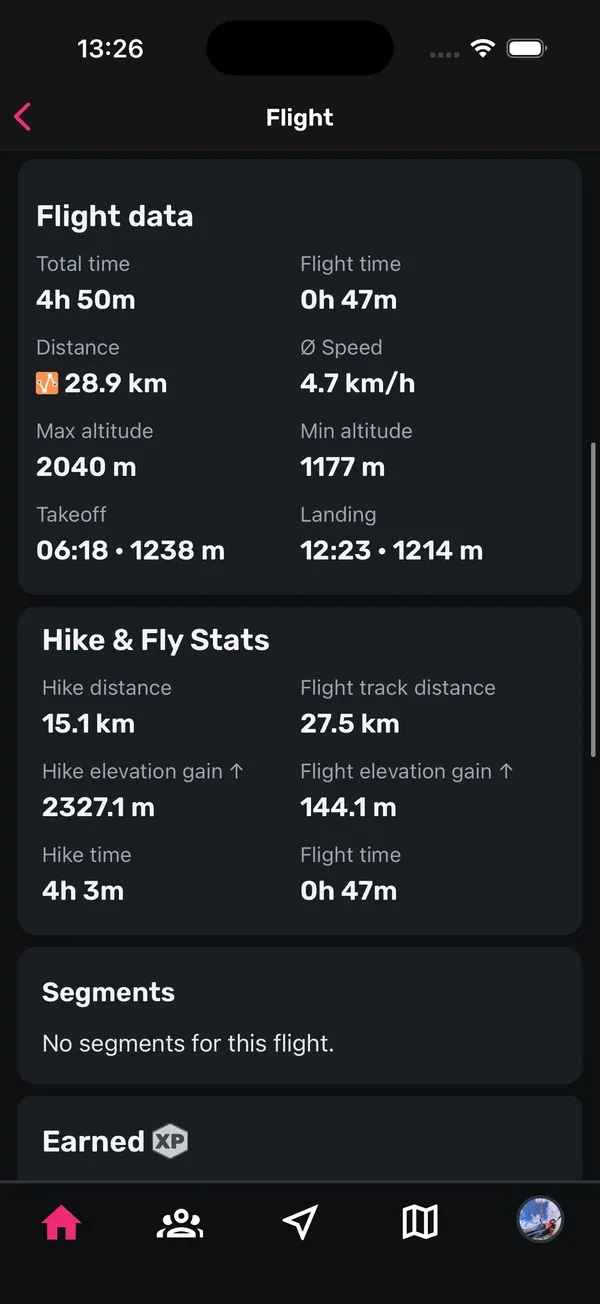
Open a flight to see how many XP it earned:
- On the flight card in the feed and on the flight page, a small chip with the XP hexagon shows the total, for example +420.
- On the flight page, the Earned card breaks the XP down into Flight distance, Flight duration, Hike distance and Hike duration. If you tagged peaks, you’ll also see Challenge peaks. Older flights may show a Flight upload line.
- Total is the sum for this activity.
3. Level and level progress
Your level is based on all the XP you’ve ever collected, your Lifetime XP. It never resets.
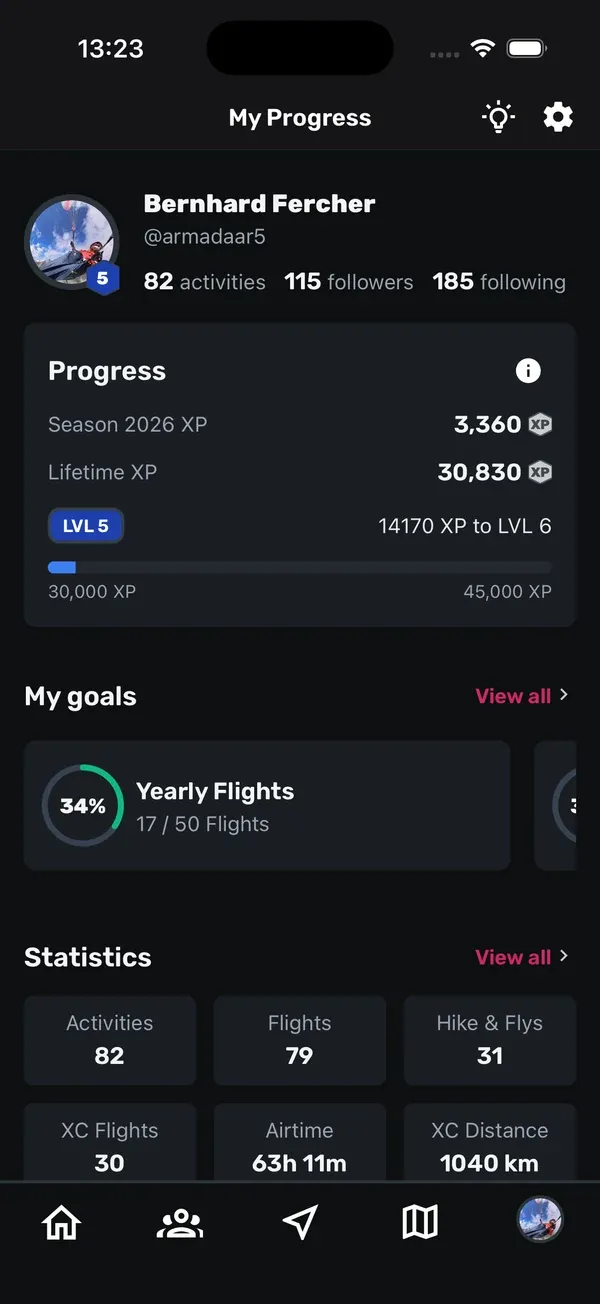
- Open the You tab. The Progress card sits right below your profile.
- You’ll see your Season XP for this year, your Lifetime XP and your level (LVL).
- The bar shows how far you are to the next level, for example “1,200 XP to LVL 4”.
Your level badge also appears on your profile. When you reach a new level, Sidekik sends you a notification.
These are the levels:
| Level | From |
|---|---|
| 1 | 1,000 XP |
| 2 | 4,000 XP |
| 3 | 9,000 XP |
| 4 | 17,000 XP |
| 5 | 30,000 XP |
| 6 | 45,000 XP |
| 7 | 65,000 XP |
| 8 | 90,000 XP |
| 9 | 120,000 XP |
| 10 | 160,000 XP |
| 11 | 200,000 XP |
| 12 | 270,000 XP |
| 13 | 400,000 XP |
| 14 | 600,000 XP |
| 15 | 1,000,000 XP |
4. Seasons and the ranking
A season is one calendar year. On 1 January a new season starts and your season XP begins at zero again. Your lifetime XP and your level stay as they are.
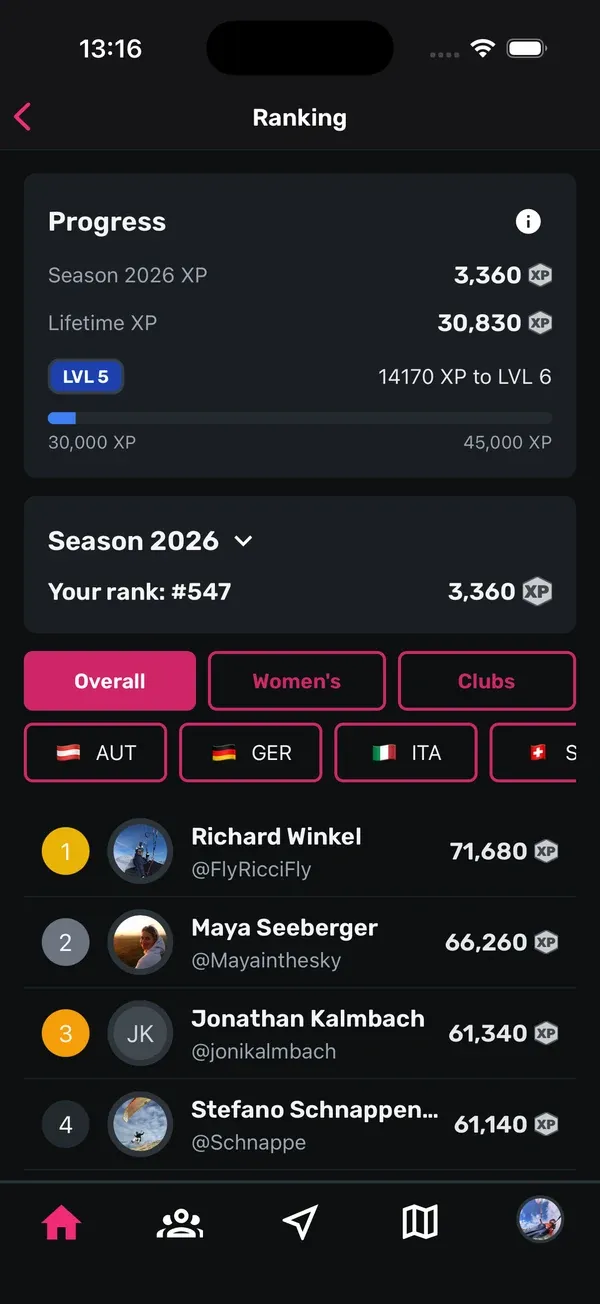
- Open the Community tab and tap Ranking.
- The Season card shows your season XP and Your rank.
- Tap the season to open Select Season and look at past years.
- Filter the list by Overall, Women’s or Clubs, or by country.
In the club ranking, the XP of a club’s best ten members count. Tap a club to see its top members.
Good to know: Only the season ranking resets each year. Your level is safe, it only ever goes up.
Tips
- Long, calm flights count too: flight time earns XP even when you don’t go far.
- Hike & fly pays twice: the walk up earns hiking XP, the flight earns flight XP.
- Join a Peak Hunt to collect extra XP with Challenge peaks.
- Use the info icon next to Progress whenever you want to check the current rules.
Related guides
Still have questions? Write to us at [email protected].