
Profile, trophy case and equipment
Your profile is your page in Sidekik. Other pilots see your flights, statistics, clubs and trophies there. You also keep track of your own progress in the app: your records, your trophy case and the gliders you fly.
This guide shows you where to find all of it and how to decide who gets to see your profile.
1. Your profile and your flights
Everything about you lives in the You tab, the one with your profile picture. It opens My Progress. Scroll down to More for two shortcuts:
- My Profile shows your profile the way other pilots see it: profile picture, name, username, level, and the number of activities, followers and people you follow. Below that come your statistics, your clubs, your trophies and your top segments.
- My Activities opens My Flights, a list of all your activities. Tap one to open it.
On your profile you can also tap Show activities to get to the same list.
2. Public or private
You decide who sees your full profile. Open the You tab, tap the cog at the top right and choose Profile visibility. Pick Public or Private.
- Public: anyone can follow you. Your flights and photos are visible to everyone.
- Private: other pilots have to send you a follow request. Their Follow button changes to Requested until you answer.
What does someone see on a private profile before you accept them? The top part only: your picture, name, username, level and the follower counts. Instead of your statistics, clubs, trophies and activities, they see a note that the profile is private.
Your flights in a challenge can still be found on that challenge’s page. They just won’t appear in the general feed or on your profile.
To answer follow requests, open your profile and tap your followers. Requests have an Accept and a Reject button. You also get a notification for each new request.
3. Your trophy case
Missions and Peak Hunts award trophies. If you finish on the podium, your trophy shows 1st, 2nd or 3rd.
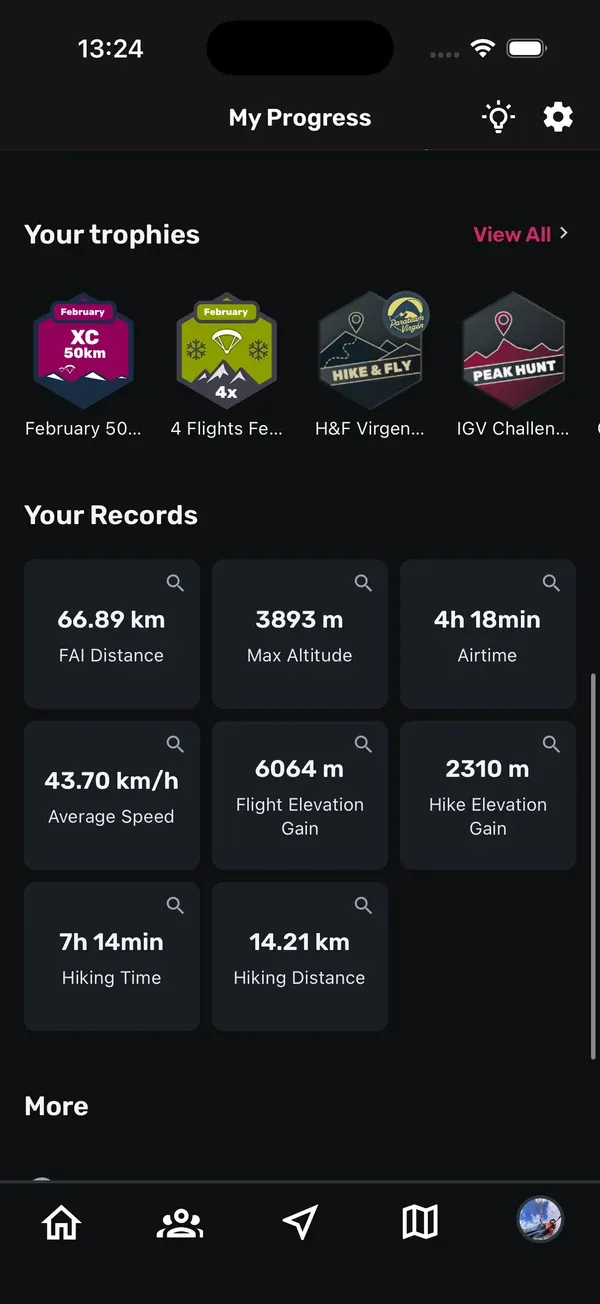
You’ll find your trophies under Your trophies in the You tab and on your profile. Tap View All to open the Trophy Case. It has two sections:
- Mission Trophies
- Peak Hunt Trophies
Each section shows how many trophies you have. Tap a trophy to open the mission or Peak Hunt it belongs to. You can see other pilots’ trophies on their profiles too.
4. Your personal records
Under Your Records in the You tab, Sidekik keeps your best values. Tap a record to open the flight where you set it.
Everyone sees FAI Distance and Airtime. The full list also includes:
- Max Altitude
- Average Speed
- Flight Elevation Gain
- Hike Elevation Gain
- Hiking Time
- Hiking Distance
The full list needs Sidekik Plus. Without it, tap View all to see what Plus includes.
Your records only appear in your own You tab. They aren’t shown on your profile.
5. Equipment: your gliders
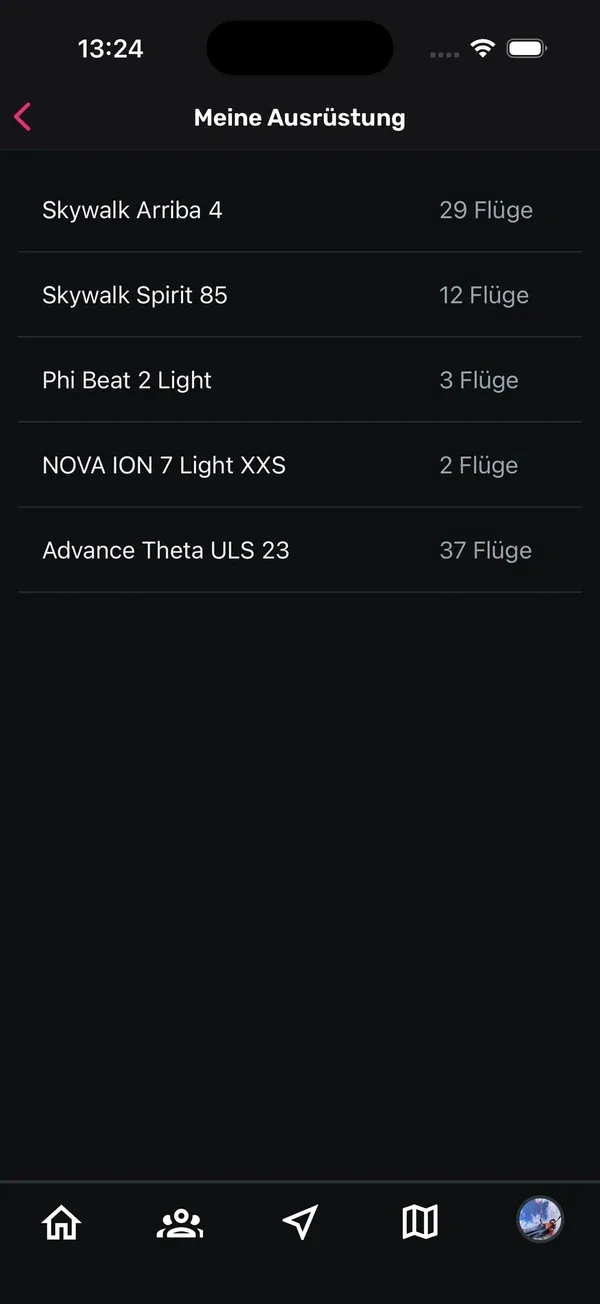
In the You tab, tap Equipment under More to see your active gliders and how many flights you’ve done with each one.
To add or change gliders, go to Settings > Manage your gliders:
- Tap Add glider.
- Choose the brand, enter the model (for example “Mentor 7 Light”) and tap Add glider.
- Tap the star next to a glider to make it your default. It’s then marked (Default).
Next to each glider you’ll also find an archive icon and a trash icon. Archive a glider you no longer fly: it disappears from your active gliders. You’ll find it again under Show archived gliders and can bring it back from there. If you archive your default glider, the first glider in the list becomes the new default.
6. Choose the glider for a flight
You pick the glider in the flight details:
- When you upload a flight, choose it in the Glider field.
- For a flight you already have, open it, tap the three-dot menu and choose Edit flight details.
The list shows all your gliders. Your default glider is marked (default). Choose No glider selected if you don’t want to assign one, or + Add new glider if it’s not in the list yet.
Tips
- Add your current glider right after signing up, so your flight count per glider is correct from the start.
- Archive old gliders instead of deleting them. You can bring an archived glider back at any time.
- With a private profile, check your followers now and then for new requests.
- Your trophies show on your profile, so taking part in missions and Peak Hunts is a nice way to fill it.
Related guides
Still have questions? Write to us at [email protected].