
Local Legends: who holds the crown?
Every summit in Peaks has a crown. It belongs to the pilot who reached that peak most often in the last 365 days: the Local Legend. It doesn’t matter who was fastest or flew over highest, only who was there most often.
This guide explains how the crown is awarded, where you see it, and how to take part or leave.
1. The rules
- Ascents in the last 365 days count. The window moves forward every day. Ascents older than a year drop out.
- At least 3 ascents. With fewer, nobody gets the crown, even if no one else has been there. You can fly over a remote peak once by accident, but not three times.
- Hike & Fly counts twice. If you hike a peak and also fly over it on the same flight, that’s two ascents.
- The Peaks rules apply. An ascent counts when it counts in Peaks: on foot within 80 m of the summit, in the air within 200 m and no more than 1,000 m above it. Peaks in no-fly zones only count on foot. Details in the Peaks guide.
- On a tie, the Local Legend keeps the crown. To take it, you need more ascents, not the same number. If a peak has no Local Legend yet, a tie goes to whoever reached that count first.
Why 365 days? With a shorter window, almost every crown would be gone by spring, just because people fly less in winter. A year always covers a full season.
2. How the crown moves
After every upload, Sidekik recalculates the peaks on that flight. If you now have the most ascents, the crown is yours.
Sidekik also checks every peak once a day. When old ascents drop out of the 365-day window, the crown can change hands without anyone flying. If the Local Legend falls below 3 ascents and nobody else has enough, the peak is open again.
3. The crown on the peak page
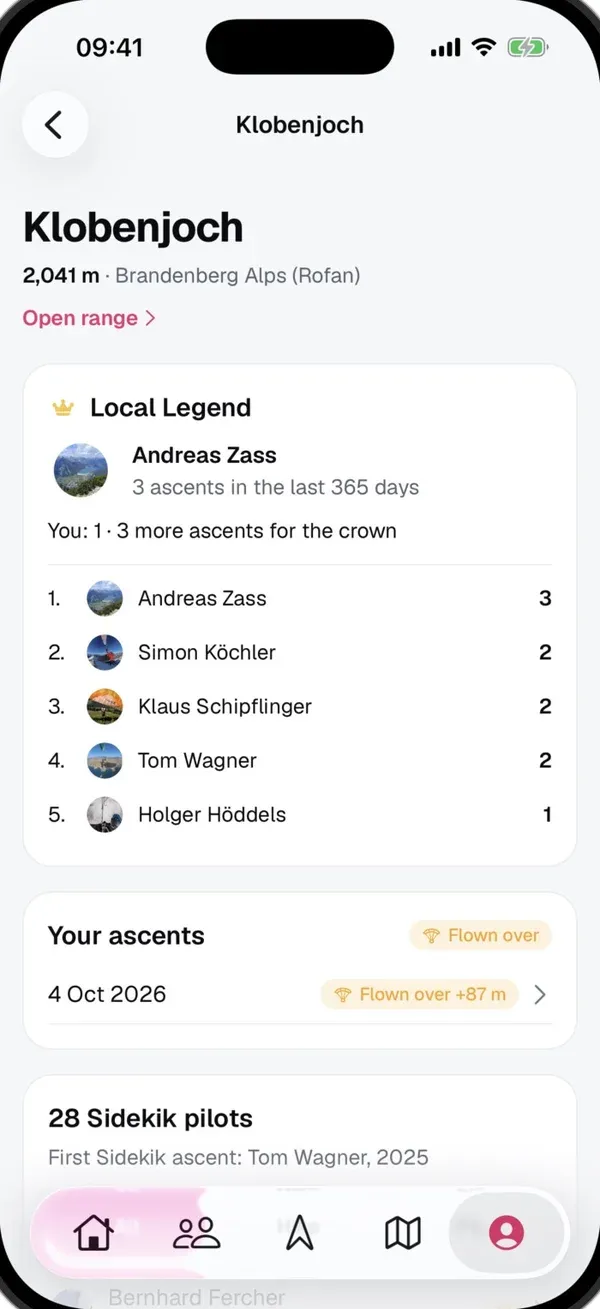
Open a peak, for example from You → Peaks, a range or the peaks map. The Local Legend card shows:
- who holds the crown and with how many ascents in the last 365 days, or You’re the Local Legend,
- your own count, for example You: 2 · 2 more ascents for the crown,
- the five pilots with the most ascents,
- No legend yet when nobody has 3 ascents.
If the crown is held by someone whose profile you can’t see, it says Held by a pilot you can’t see.
4. Your crowns
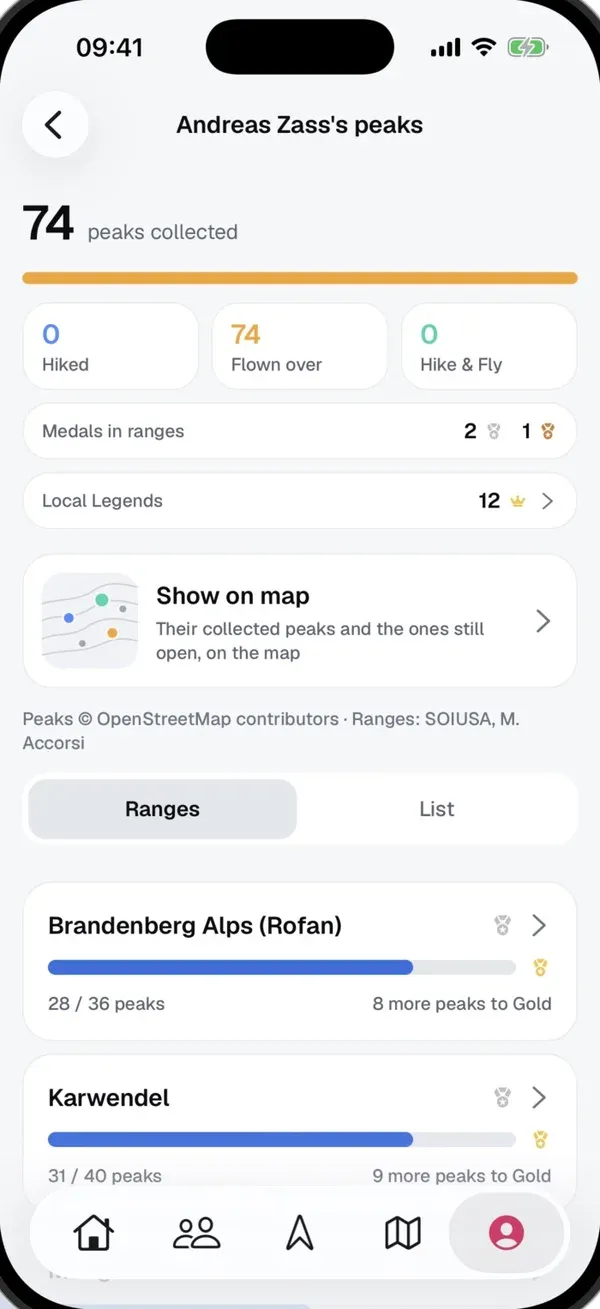
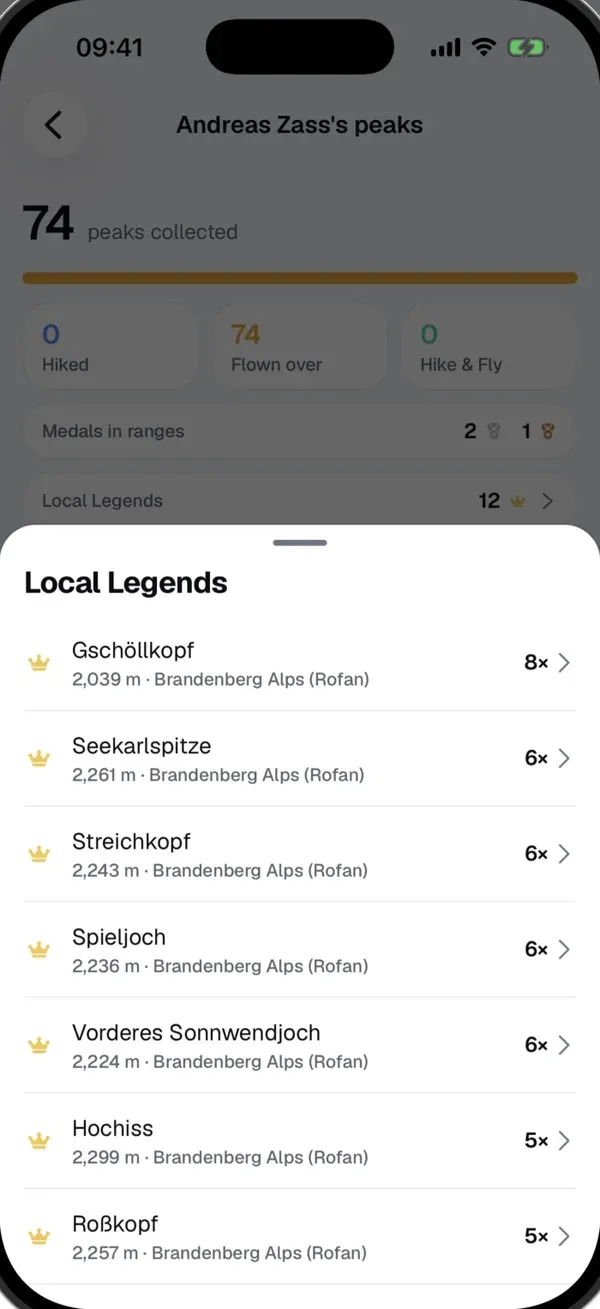
In the You tab, tap Show all next to Peaks. As soon as you hold at least one crown, the Local Legends row shows how many you have. Tap it for the list of your peaks, sorted by your number of ascents.
It works the same for other pilots: open their profile and tap Show all next to Peaks.
5. Crowns on a flight
When a flight wins you a crown, it shows on the flight and in the feed: Local Legend · Seekarlspitze, or for several peaks, for example Local Legend · 3 peaks. The feed then says something like “Anna became the Local Legend of Seekarlspitze”.
This only happens when the flight actually won the crown. If you get a crown because someone else’s ascents dropped out of the window, or you upload an old flight later, there’s no post.
6. Taking part or leaving
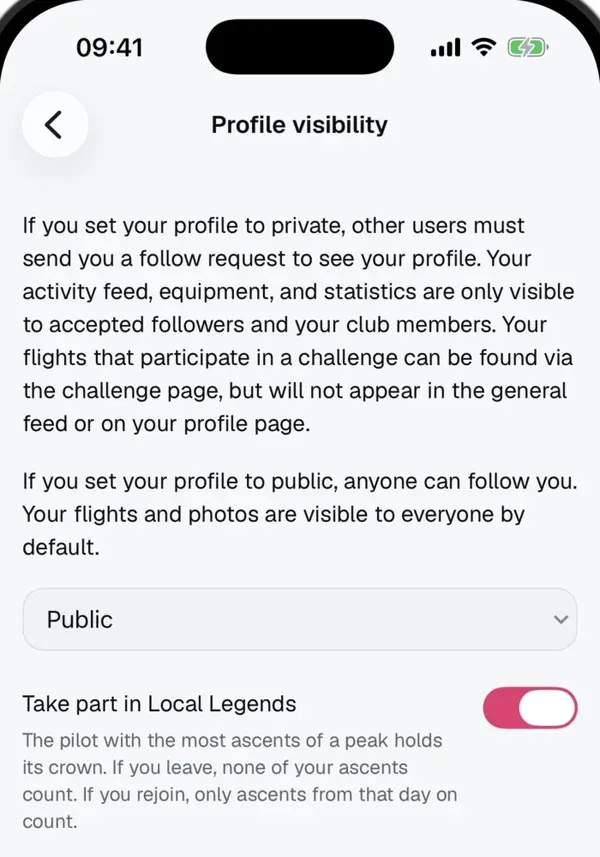
Everyone with a public profile takes part automatically. To leave, go to Settings → Privacy and switch off Take part in Local Legends.
- Private profiles don’t take part. Your ascents don’t count towards any crown.
- If you leave, none of your ascents count any more and your crowns go to the next pilot.
- If you rejoin, only ascents from that day on count. Leaving and rejoining won’t bring old crowns back.
If you’re not taking part, the peak page says You’re not competing. Your summit collection in Peaks isn’t affected.
Local Legend in Peaks and in Peak Hunts
The name appears twice, and the two are unrelated:
- Local Legend in Peaks (this guide): applies to every peak everywhere, counts ascents from the last 365 days and needs at least 3.
- Local Legend in a Peak Hunt: shown in a challenge’s peak details, it’s whoever tagged that peak most often in the Peak Hunt. The challenge’s time frame and rules apply.
One ascent can count for both.
Tips
- Your home mountain is the easiest start: if you fly from the same launch regularly, the ascents add up quickly.
- Up on foot, down in the air: a Hike & Fly gives you two ascents at once.
- Check the peak page to see how many ascents you need for the crown.
- On remote peaks, 3 ascents are often enough, because hardly anyone else goes there.
Related guides
Still have questions? Write to us at [email protected].